



Integrations
Learning Management Systems
Embed and track ClickView videos in your LMS. Learn setup steps, marking options, and best practices for Canvas, Moodle and more.
How to set up LTI integration v1.1
This article guides educators and administrators through configuring LTI v1.1 integration in ClickView, making it easy to connect external learning systems to your LMS using secure credentials.
Set up LTI integration v1.1 with Canvas
This guide explains what LTI is and provides step-by-step instructions for integrating ClickView with the Canvas LMS using LTI v1.1.

Set up LTI integration v1.1 with Moodle
This guide explains how to connect ClickView with Moodle using LTI 1.1, enabling easy video integration into your courses without separate sign in steps for students.
How to set up LTI integration v1.3
This article explains how ClickView administrators can set up LTI 1.3 integration to connect your learning management system with ClickView. The setup process allows seamless access to ClickView content without separate sign-in.
Set up LTI integration v1.3 with Canvas
Learn how to connect ClickView to your Canvas LMS using the LTI 1.3 standard. This guide covers each step, including copying integration fields and configuring Canvas so educators can access ClickView video resources within Canvas for lesson planning and assignments.
How to set up LTI 1.3 integration with Moodle
This guide walks educators and admins through configuring LTI 1.3 integration between ClickView and Moodle, enabling secure video embedding in courses.
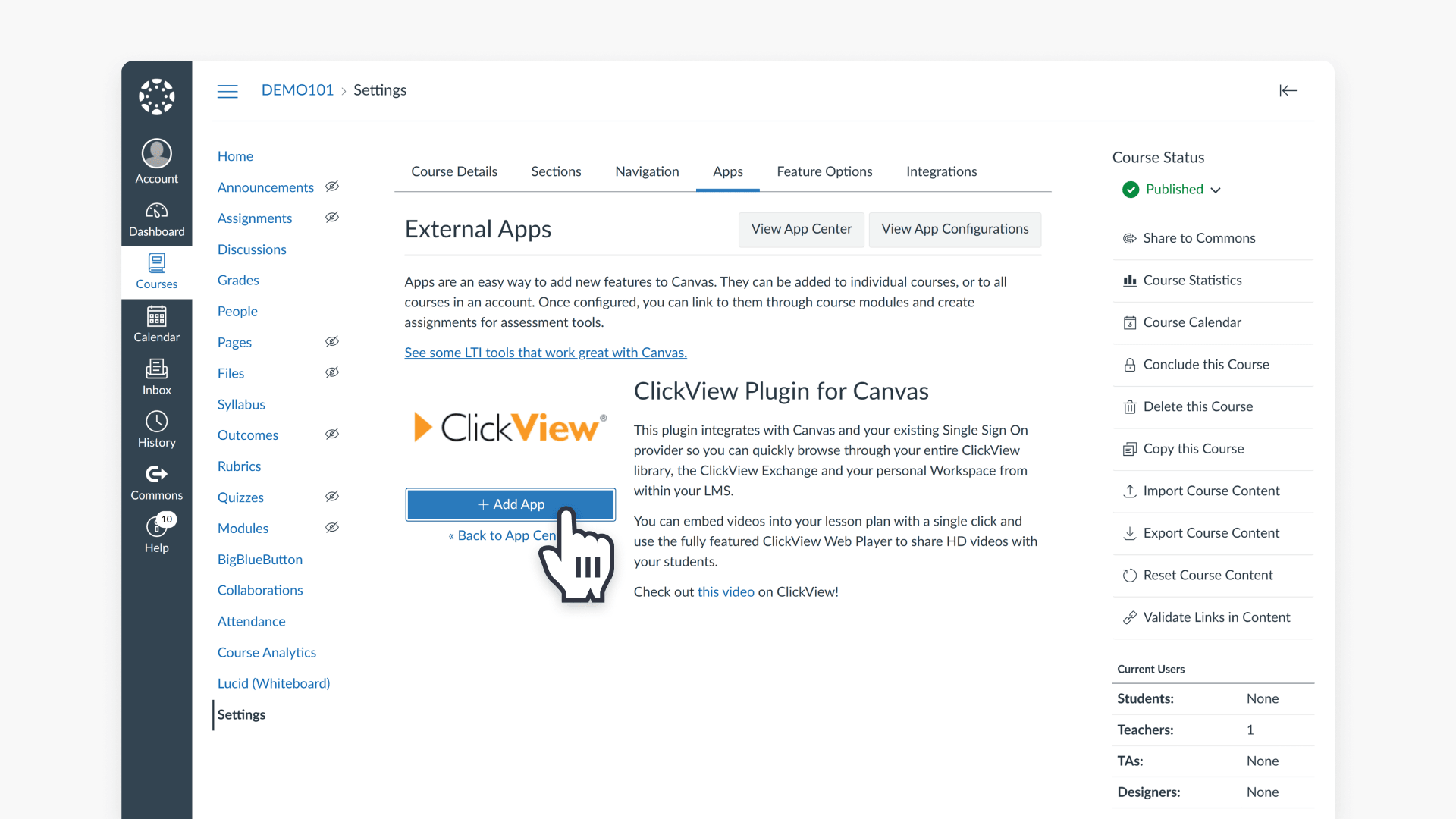
Install the ClickView plugin for Canvas
This article explains how to install and set up the ClickView plugin in Canvas, so educators can browse their ClickView library and embed videos directly into course content.
Install the ClickView plugin for itslearning
This article explains how to install the ClickView plugin in itslearning, enabling access to high-quality educational videos and resources in any course.
Install the ClickView plugin for Moodle
Learn how to install the ClickView plugin for Moodle, enabling educators to embed educational videos directly into course pages and share them securely with students.
Install the ClickView app for Schoology
This article explains how to integrate ClickView with Schoology, add videos to courses and assignments, and enable grade pass-back for interactive videos. Follow step-by-step instructions for a seamless experience.
Embed a ClickView video in D2L Brightspace
This article explains how to set up the ClickView plugin in Brightspace, configure plugin options, and embed educational videos directly into your course pages.
Embed a ClickView video in Toddle
This guide walks K–12 educators through setting up the ClickView integration in Toddle, embedding videos in assignments, and using interactive video grade passback.
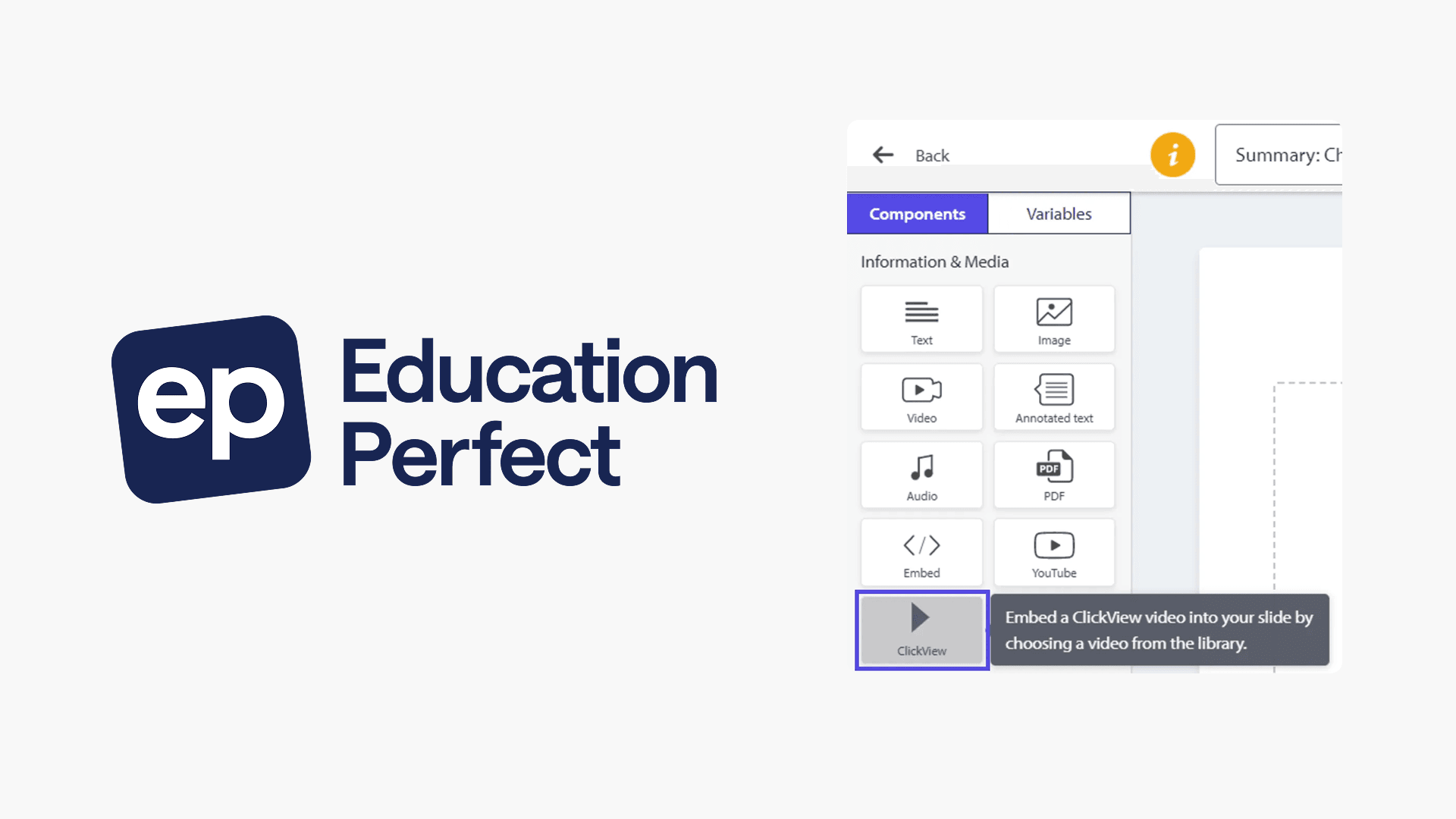
Embed a ClickView video in Education Perfect
This article explains how to embed ClickView videos into Education Perfect (EP) lessons, covering simple steps for teachers and what students see when accessing ClickView resources within EP.
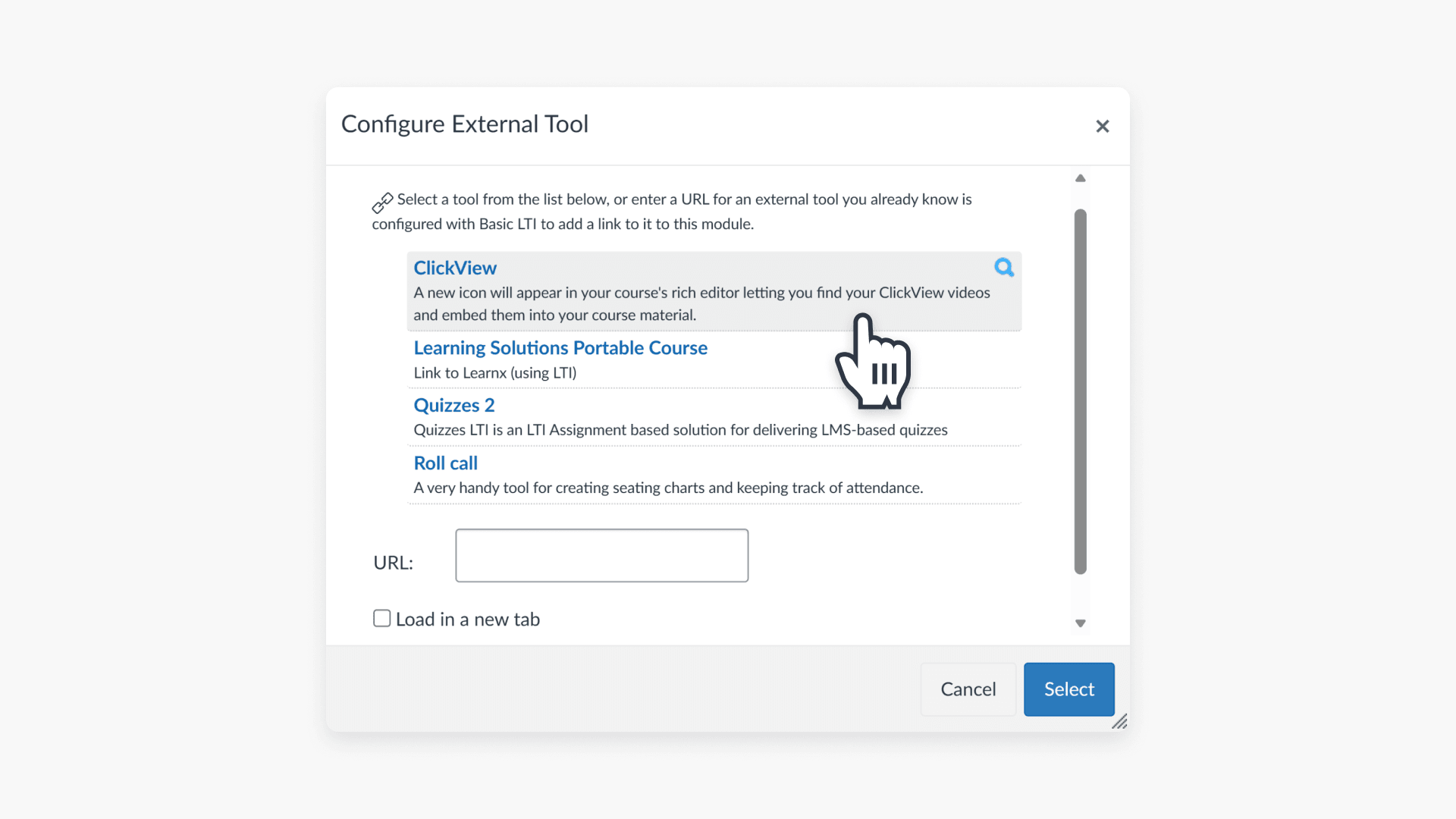
How to enable Grade Passback in Canvas
This article explains how educators can enable the Grade Passback feature with ClickView interactive videos in Canvas, providing automatic student scoring for assignments.
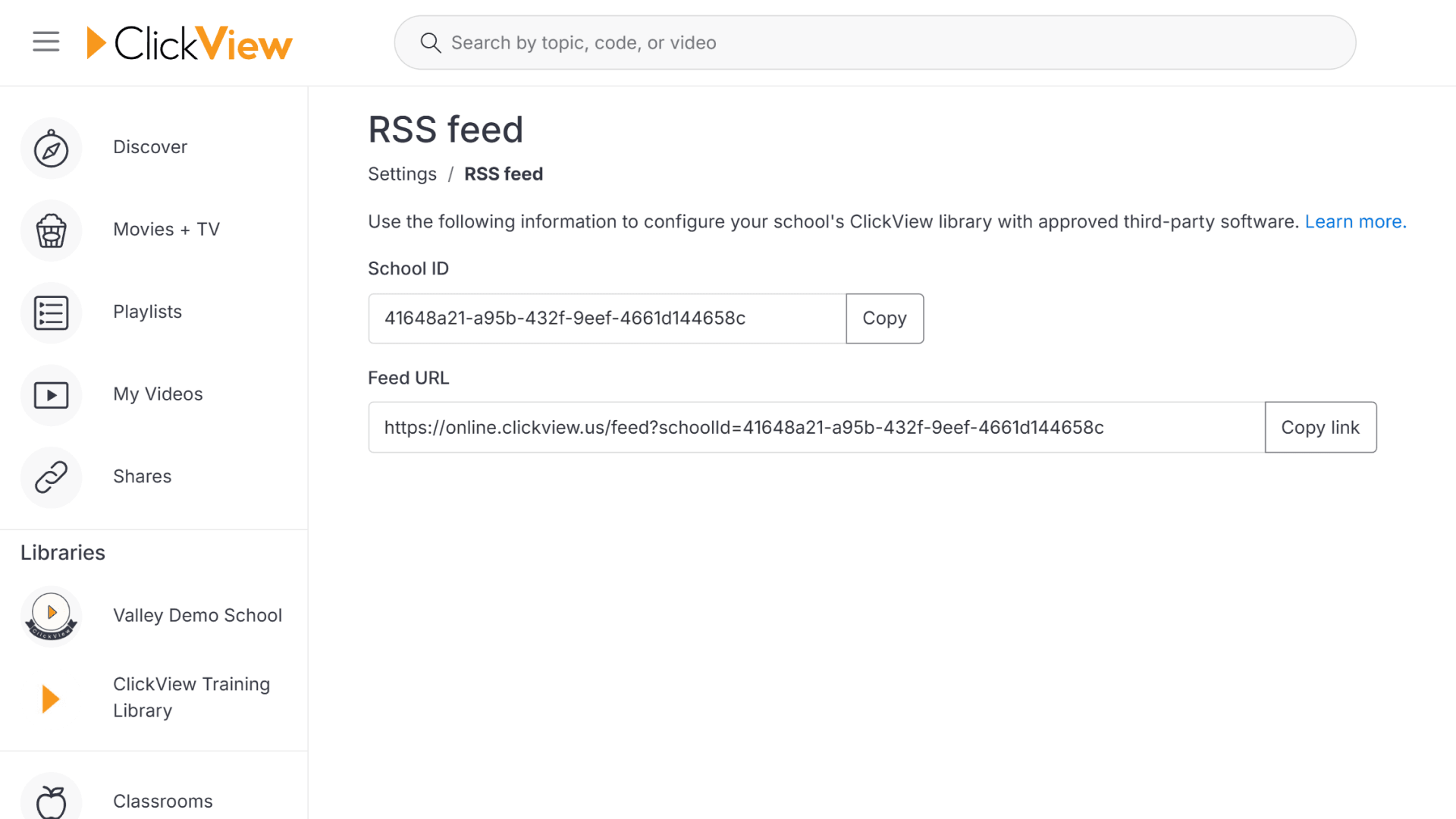
How to find your School ID and RSS URL
This article explains how K–12 educators and admins can locate the School ID and RSS URL in ClickView for integrations with library and learning management systems.