
Exchange, ClickView TV and our new look — Community feedback
Published on 4 min read
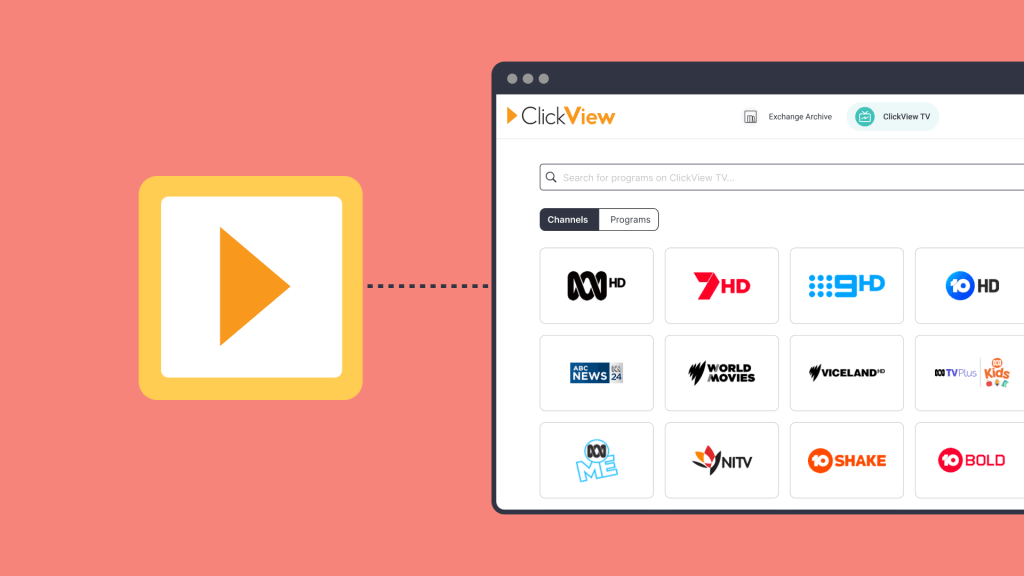
As we continue to move towards ClickView’s new look we’ve been humbled by the amount of feedback we’ve received for the new ClickView experience. Many have shared what you like and the changes you’d still like to see us make to the new ClickView experience.
So, firstly, I just want to take the time to say thank you for supporting us and taking the time to provide such valuable feedback.
A lot of the feedback has been focussed on the Exchange Archive and ClickView TV. So we thought we’d share a little roadmap of how we plan to address your feedback and ensure ClickView is as useful as it can be.
Please keep in mind that this roadmap is only in regards to Exchange Archive and ClickView TV.
Changes we’ve already made based on your feedback
“Where is my Workspace?”
You’re Workspace hasn’t gone anywhere it just has a new name; “My Videos“. My Videos can be found in the left navigation at all times making it easy to manage you interactive videos, clips and uploads in one place!
“What is the Exchange Archive?”
Many of you told us that you loved the Exchange but often found it overwhelming and hard to find what you were looking for. So, with this new look, we introduced Movies + TV as a core part of the product.
We renamed the Exchange to the Exchange Archive to better signify its purpose. The Exchange is just as important to us as it has always been however now we’re doing our best to provide a curated version through Movies + TV to those of you who don’t need all 20,000 titles!
“I can’t find something I watched from the Exchange last week in search”
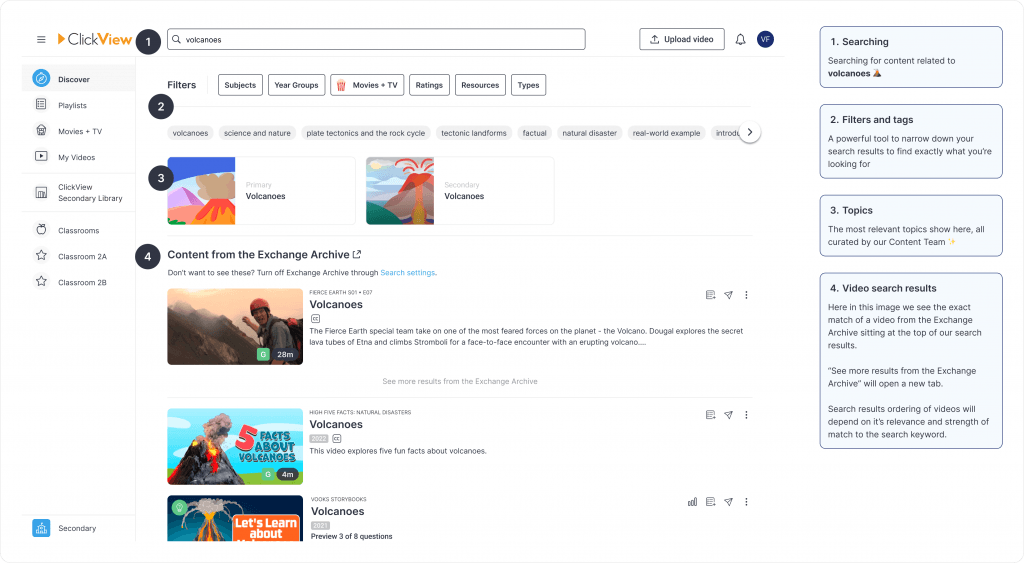
We now show the most relevant searches from the Exchange Archive in the search results. If you wish to see more results from the Exchange Archive, you can explore them by clicking “See more results”.
If you do not wish to see Exchange Archive results in search, you can choose to hide them in “Search settings” found on your Settings page.
There were a number of bugs regarding Search, video playing and Cloud Editor that have all been fixed now!
“I can’t find the Exchange?”
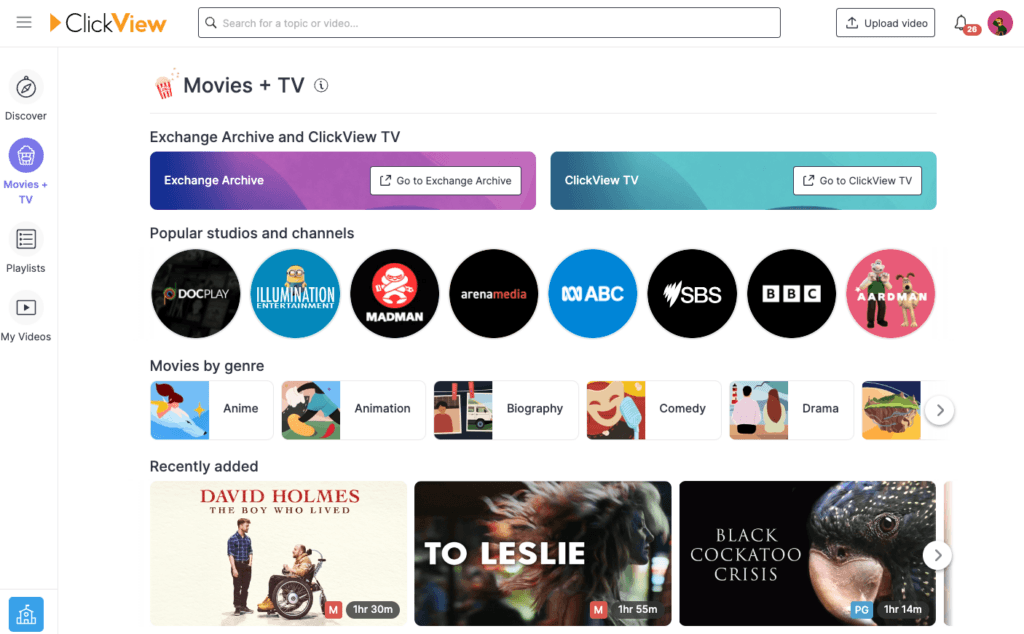
We hear you. It was too hidden in an early version of the new ClickView experience. We’ve since introduced 3 easy ways to get to the Exchange Archive:
- The “Exchange + TV” tab under the “Avatar” dropdown in the top right-hand corner of the page
- Search results showing Exchange content section – links out to the Exchange Archive
- From Movies + TV via the banner at the top of the page
“I can’t find the worksheets made by other teachers”
You can now find interactive videos and worksheets created by other teachers on all videos from the Exchange Archive.
Just search for the video you want to use and scroll down to where we would show Worksheets and Interactives.
To download the questions as a worksheet you can Preview Questions and select the button to Print as worksheet.
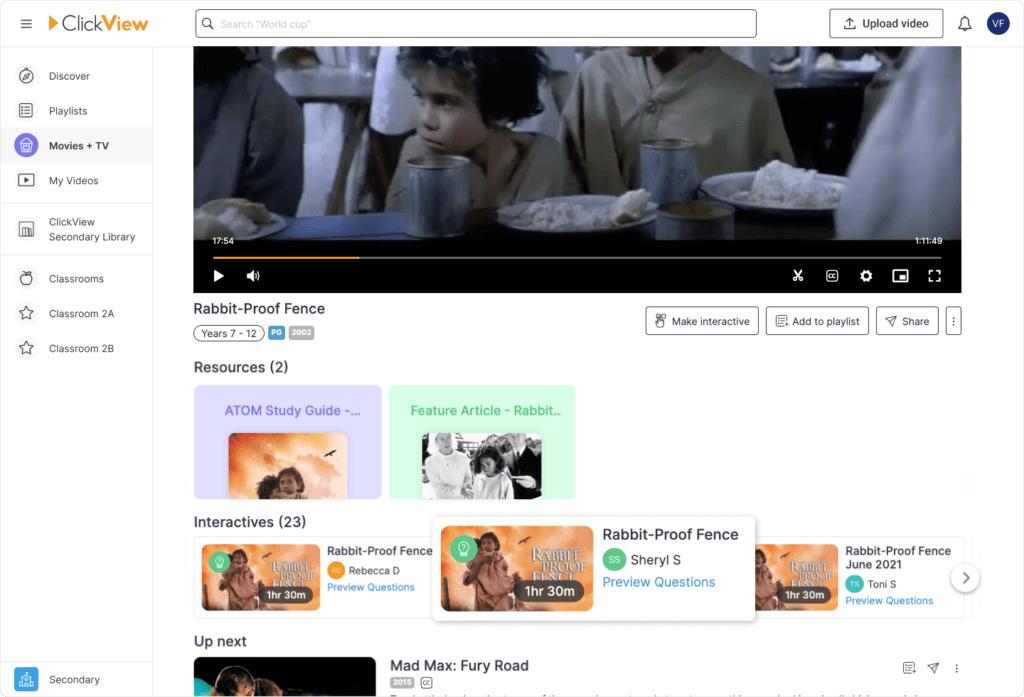
Want to share your interactive with other teachers in your school or the wider ClickView community? With each interactive that is created, we give you the option to share right away!
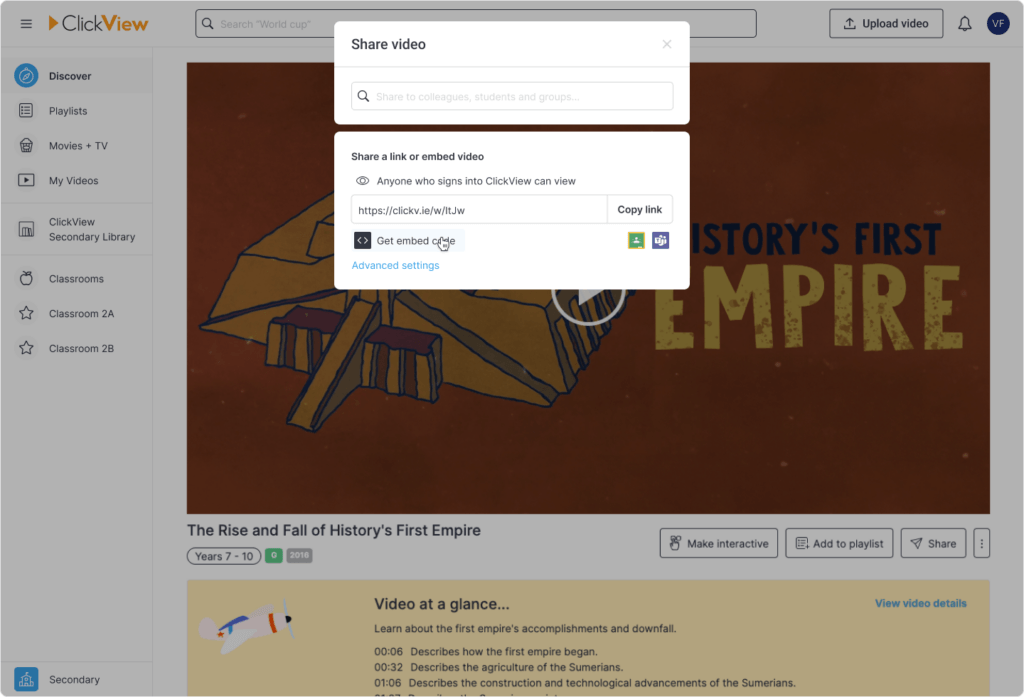
“How do I get an embed code”
ClickView share has been revamped so it’s easy to create a share link or get an embed code.
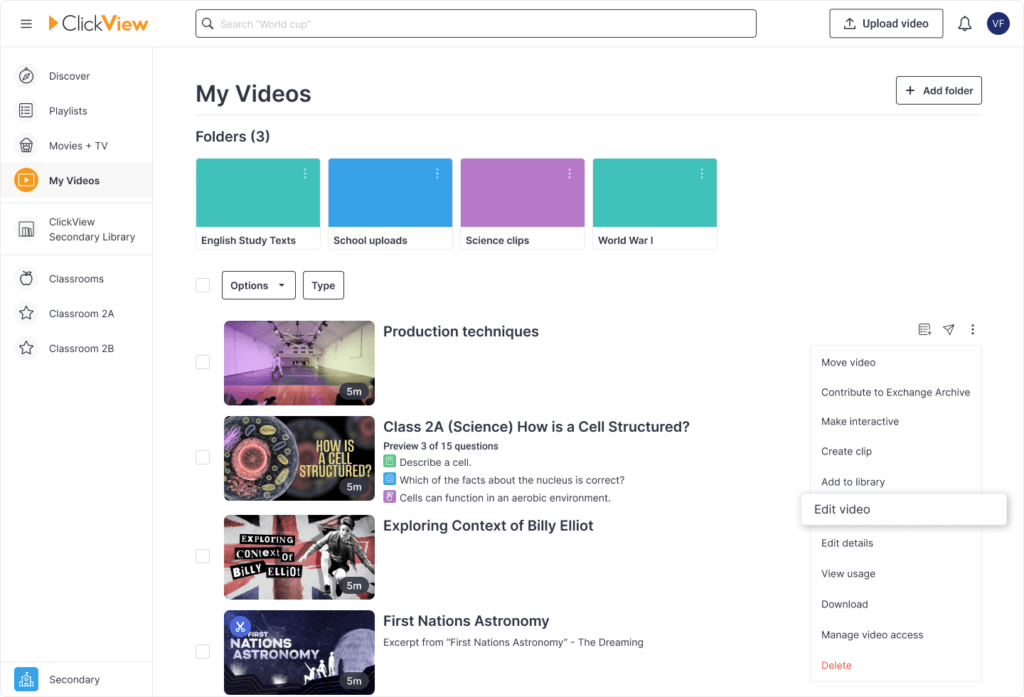
“How do I edit my videos and content from the Exchange Archive?”
We’ve added support for editing any video that you upload or add from the Exchange Archive!
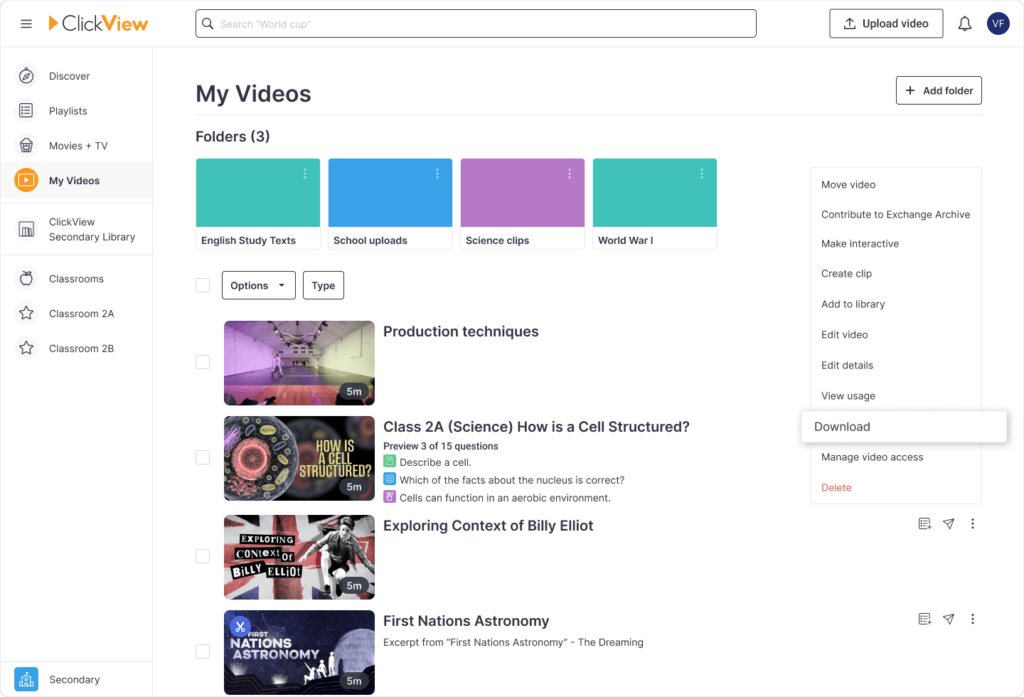
“How do I download videos from the Exchange Archive?”
We’ve made it easy to download any video you add from the Exchange Archive!
What’s coming soon
We will be making it easier:
- to find ClickView TV and the Exchange Archive.
- to switch between the Primary experience and Secondary experience
- for admins and teachers to monitor student workspaces through student manager
- manage your videos in My Videos (formally Workspace)
Moving forward
As we continue to move towards the latest version of ClickView, we’re always keen to hear what we can do better to make ClickView more useful and more enjoyable to use.
Feel free to email us at research@clickview.com.au and let us know how we can continue to improve ClickView TV.
Share to

Joe Pour
briefcase iconChief Product Officer
Experienced product leader with a strong background in engineering and building innovative products at scale.
Other posts

Want more content like this?
Subscribe for blog updates, monthly video releases, trending topics, and exclusive content delivered straight to your inbox.