
Introducing the new Playlists – available now
Published on 2 min read
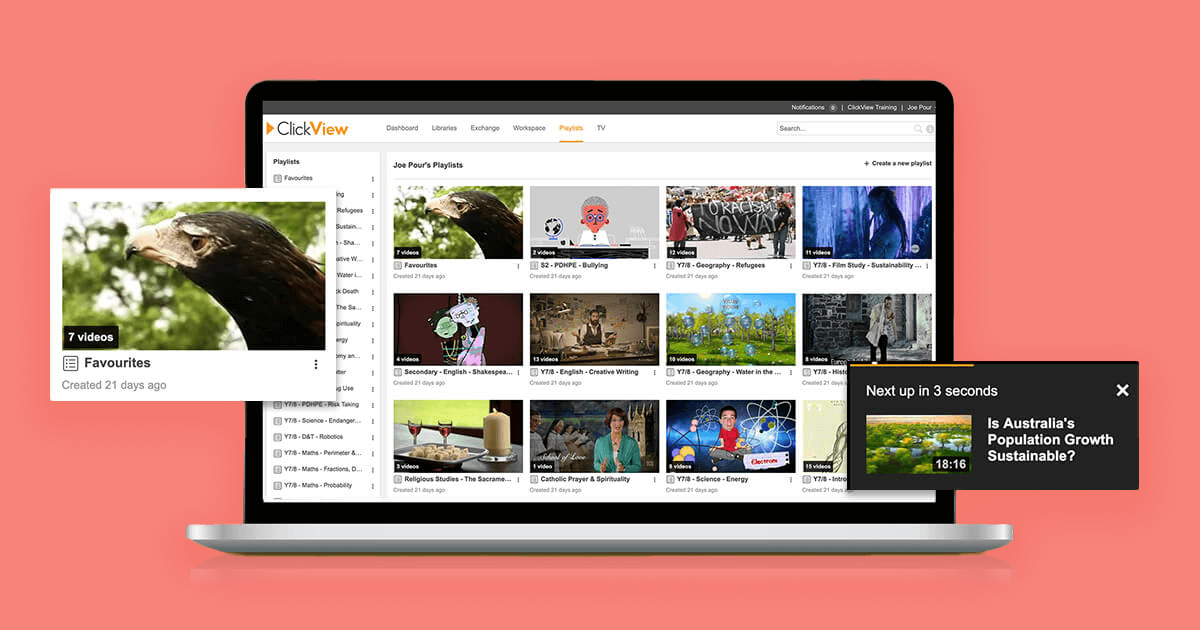
Playlists have recently been improved for ClickView users. Playlists have always been a great way to share lists of video resources with students or colleagues. And now, they’re even better.
We took a good look at the user interface and we’re confident these updates will make Playlists easier to understand and use with your classes. Our new playlists are now available for all schools.
What’s changed?
You’ll notice three key benefits in the new and improved Playlists.
- You can now reorder videos in a playlist.
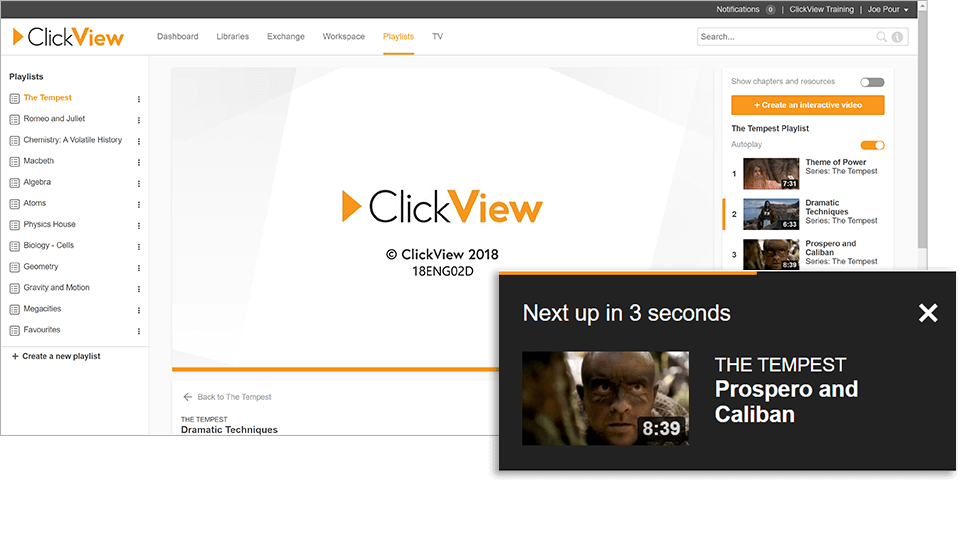
- You can now select auto-play, which will play an entire playlist in order.
- Playlists have been given a new and improved user interface (UI), making it easier for you to navigate.
Let’s explore the new Playlists upgrade in more detail.
New and improved display
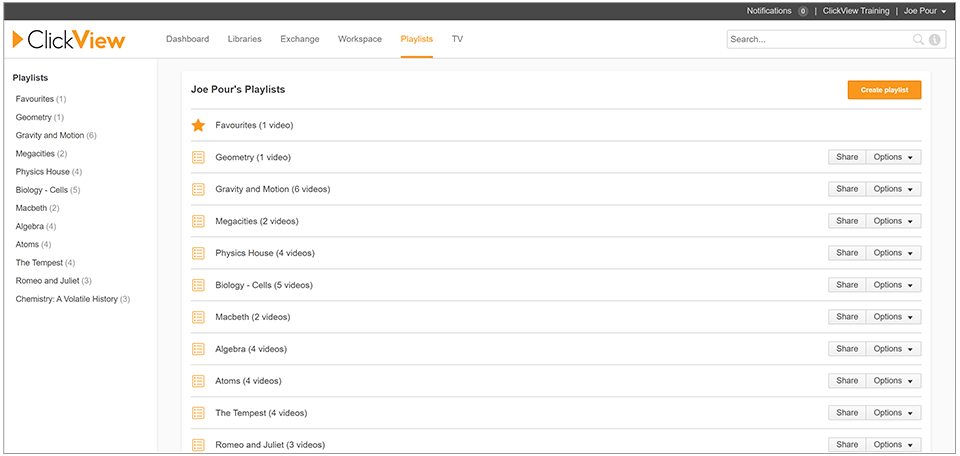
Currently, Playlists display like this:
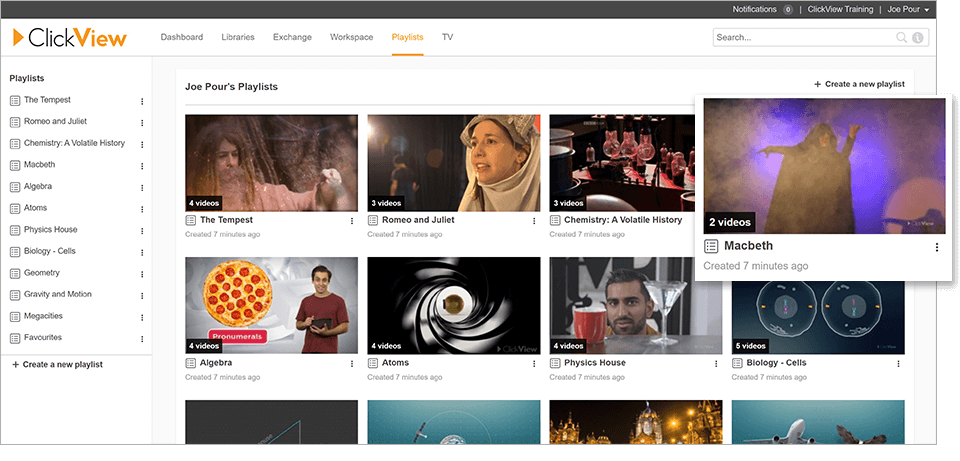
With the new and improved display, here’s how they look in the upgrade. We know you’ll find this layout much easier to navigate so you can find the video you’re looking for.
Drag and drop videos with ease
We’ve enabled reordering, so you can drag and drop items in your playlist to change the order the videos play. Hover over the video you wish to move and click on the ‘handle’ to drag it to a new spot in your list.
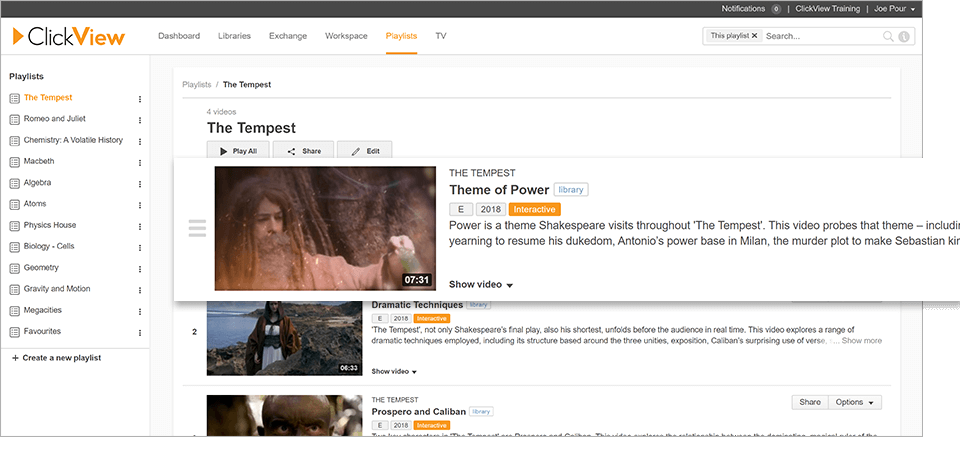
Auto-play is now available
You can now auto-play a playlist. When playing a video from your playlist, ClickView will display the other videos in your playlist in the right navigation, so you can easily switch between videos.
If you’d rather not enable auto-play, that’s up to you. Whatever you choose, ClickView will remember your preference for next time.
How can I access the new Playlists?
Head to Playlists in ClickView to explore the new features.
We’d love to know what you think of the new Playlists. What are your favorite features? What would you like to see in the next update? You can get in touch with us by leaving a comment below or contact us here.
Share to

Joe Pour
briefcase iconChief Product Officer
Experienced product leader with a strong background in engineering and building innovative products at scale.
Other posts
Want more content like this?
Subscribe for blog updates, monthly video releases, trending topics, and exclusive content delivered straight to your inbox.