How to follow playlists and Topics
In this article
Last updated by
2 min readClickView30th January, 2026
Summary
- Follow playlists or Topics using the ‘Follow’ icon.
- Unfollow by clicking the ‘Unfollow’ icon on the desired item.
- Followed playlists appear under the Playlists tab.
- Followed topics are shown on your dashboard, not in playlists.
- Updates to followed items happen automatically.
star icon
Quick tip
Can I edit a followed playlist?
No, you cannot add, order, or delete videos in a followed playlist.
How to follow playlists or Topics
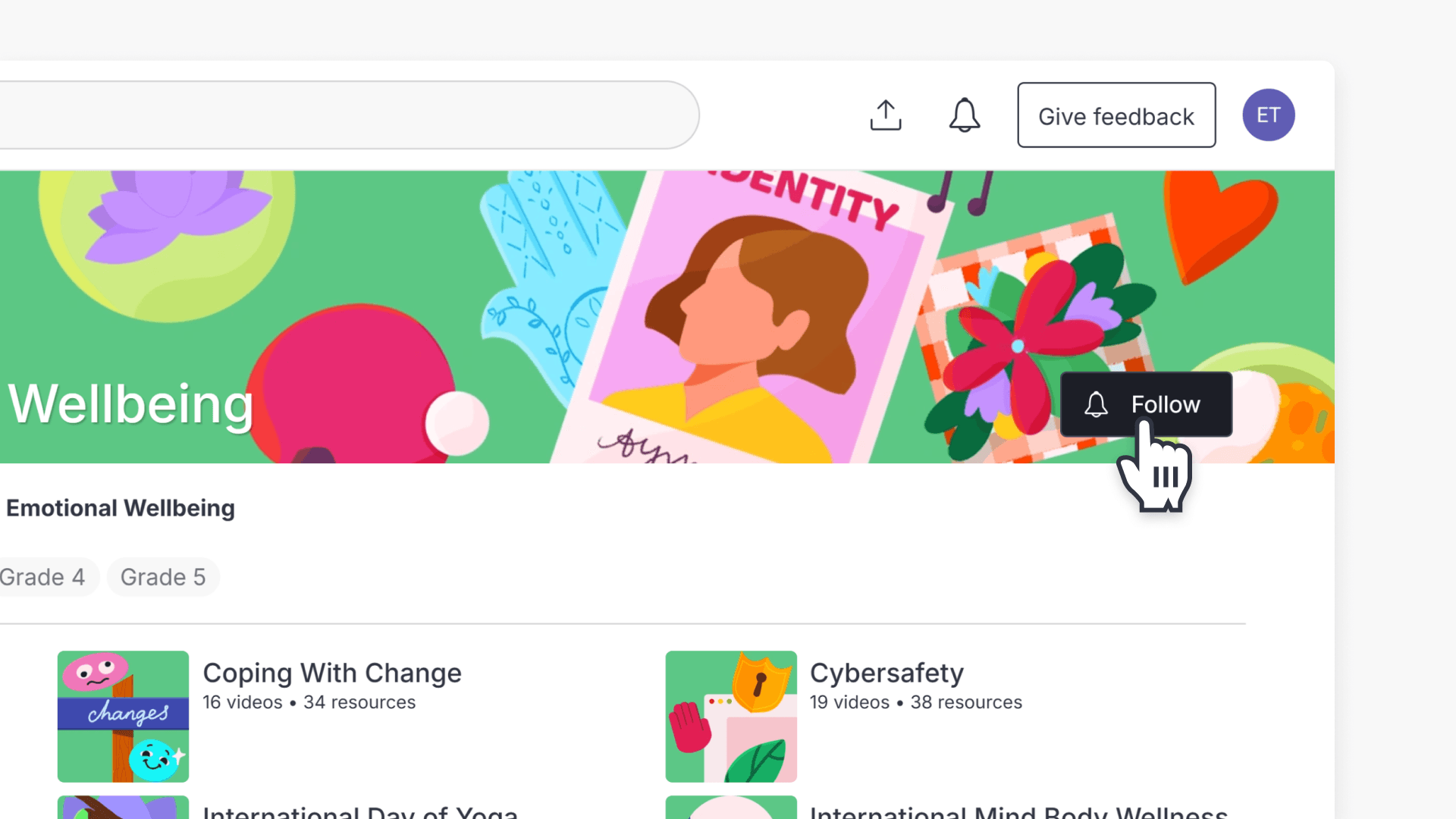
Educators can stay updated with content changes by following playlists and ClickView Topics. When a playlist is shared or a ClickView Playlist is created, you will see the ‘Follow’ icon. To begin following, simply select this icon on the playlist or Topic you wish to track.

Similarly, for Topics, use the ‘Follow’ icon to keep up with updates from the curator.

- When you follow an item, updates appear automatically as changes are made by the curator.
- Followed playlists show up alongside your own playlists in the Playlists tab. These playlists can be used like any other playlist, except for adding, ordering, or deleting videos.
- Followed Topics are promoted above unfollowed ones on your dashboard and do not appear in your playlists tab.
How to unfollow a playlist or Topic
- Locate the playlist or Topic you want to unfollow.
- Click the ‘Following’ button to remove updates for that Topic or playlist. The button will revert to its original ‘Follow’ state, which indicates that you’re no longer following that item.

Frequently asked questions
Followed playlists appear under the Playlists tab, next to your own playlists.
Followed Topics are promoted in your dashboard and do not appear in your playlists tab.
Get in touch
If you’re having trouble finding the right topics or videos, just reach out! Our team - 

 Akhil, Daniel, Jalaj, or any of us at ClickView - will be happy to help you get sorted.
Give feedback
Was this guide helpful?
Up Next
How to share video clips
This article explains how ClickView users can share video clips with educators and students using My Videos. Includes step-by-step instructions and screenshots.