Share videos using the Android app
Last updated by
2 min readClickView30th January, 2026
Summary
- Tap the three-dot icon on the bottom right of your chosen video.
- Select ‘Share’ to open the sharing window.
- Type and select a classroom or user, then tap the ‘Share’ button.
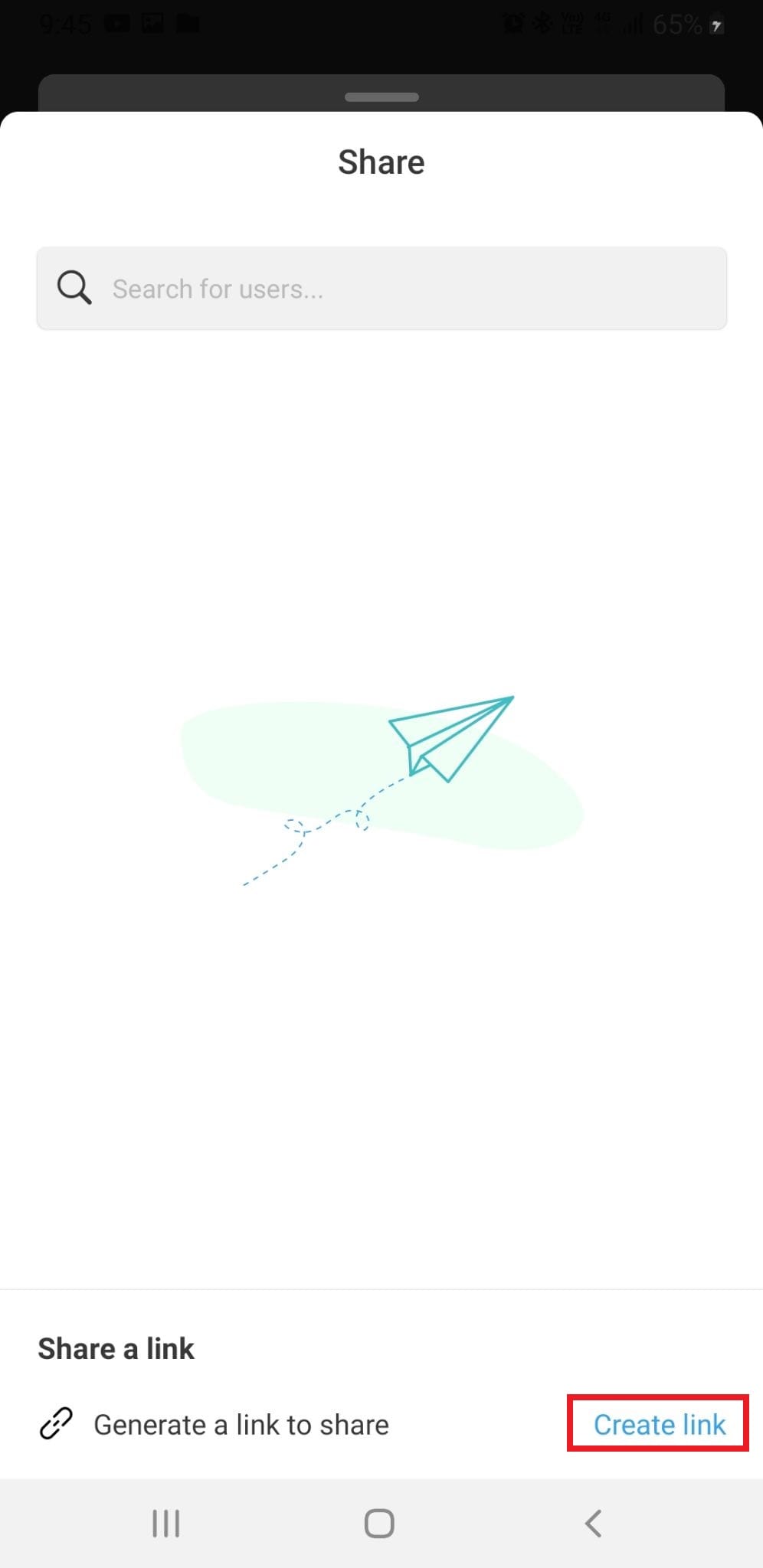
- Alternatively, tap ‘Create link’ to generate a shareable URL.
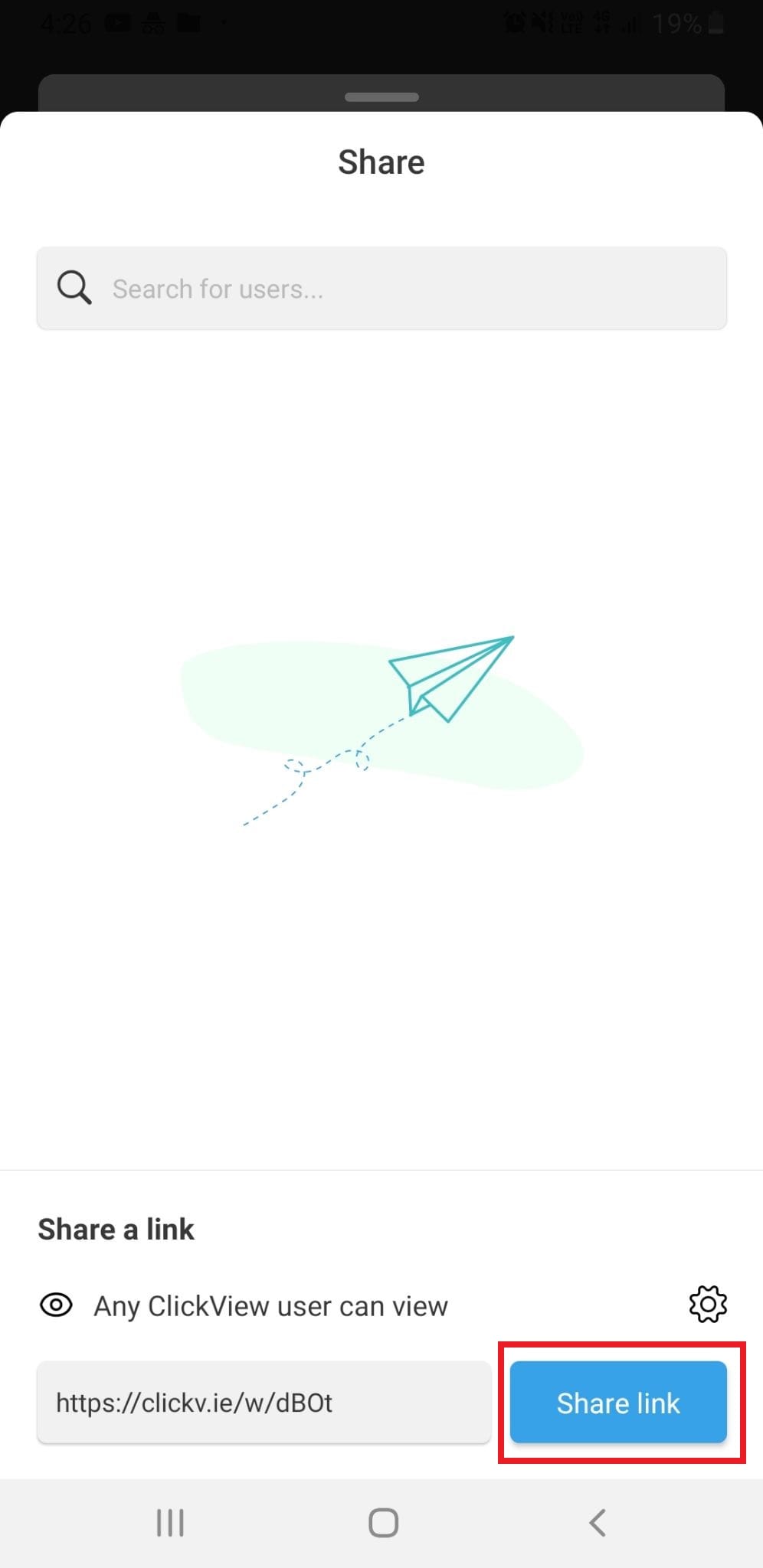
- Share the generated link through social media or email.
star icon
Quick tip
What options do I have for sharing videos in the ClickView Android app?
In the ClickView Android app, you can share videos directly with classrooms or individual users, or generate a shareable link for distribution through social media and email using the ‘Share’ and ‘Create link’ options.
Steps to share a video from the app
- Locate the video you wish to share in the ClickView Android app. Tap the three-dot icon at the bottom right corner of the video.
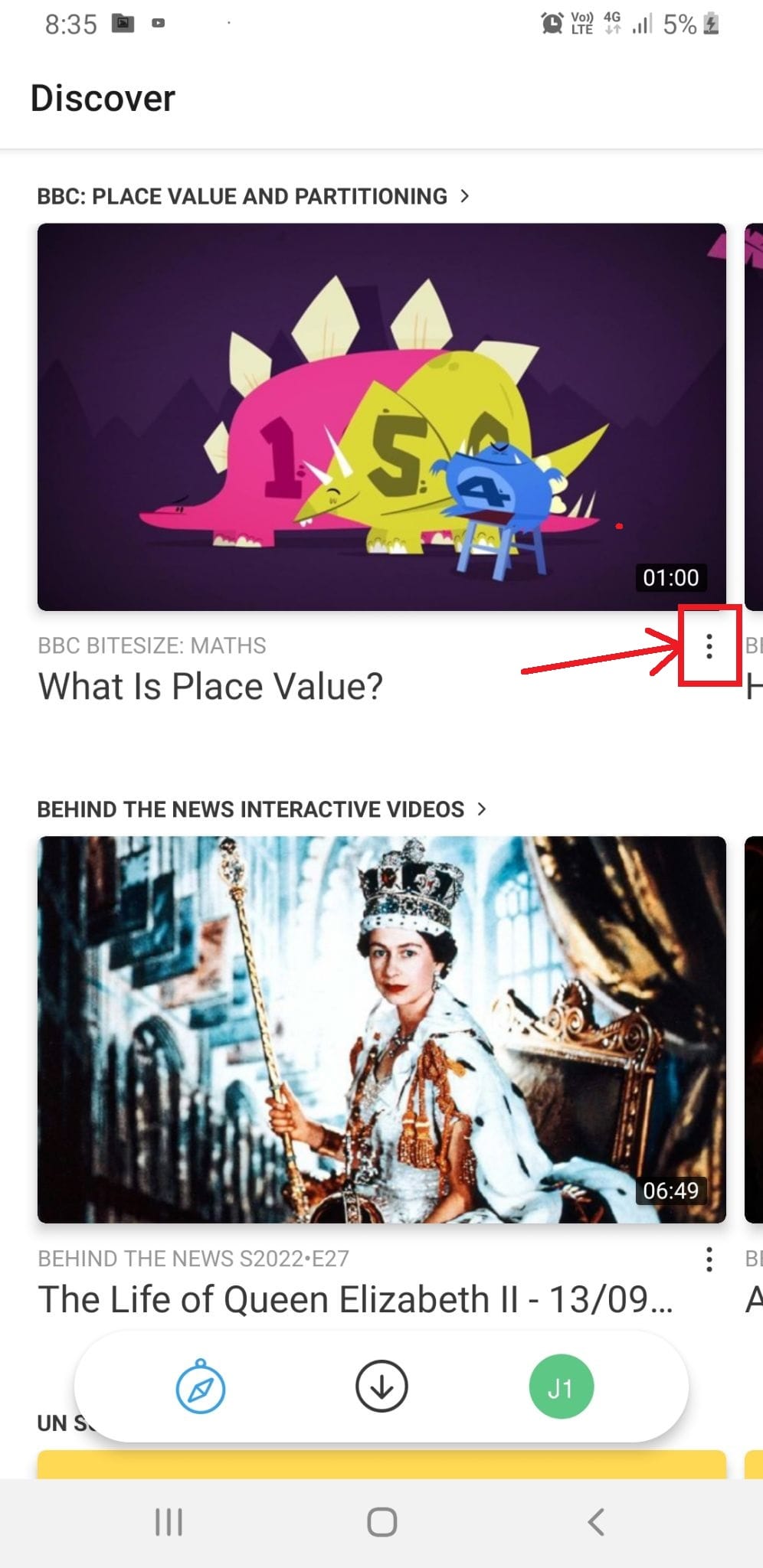
- Select Share from the menu to open the sharing options window.
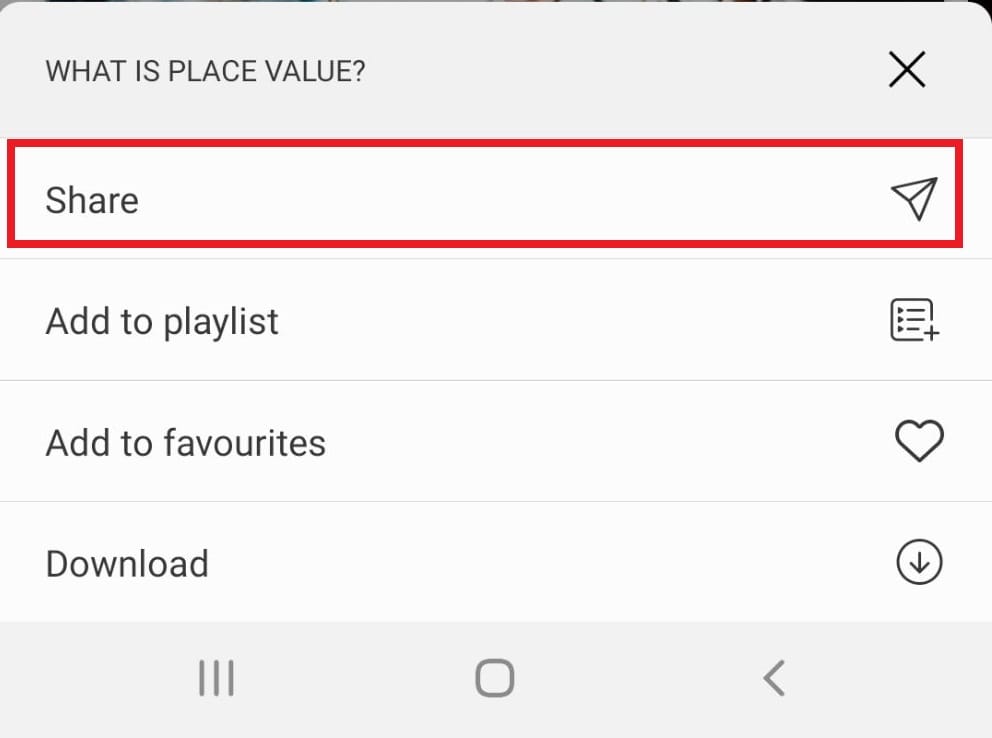
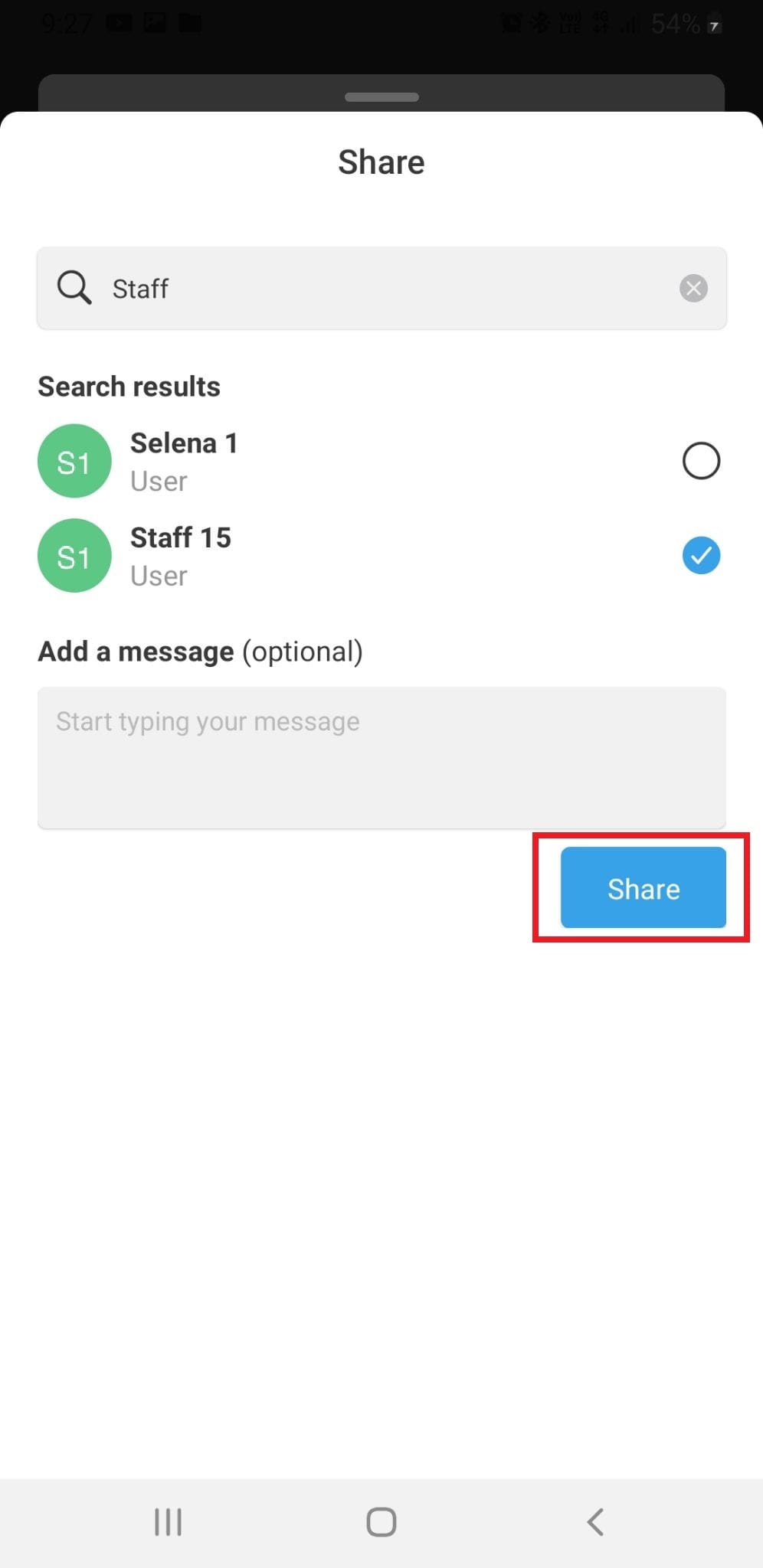
- Type and select the classroom or user you want to share the video with. Tap the Share button.
- Alternatively, tap Create link to generate a video share link.
- The generated link can then be shared directly via social media or email so recipients can view the video.
Frequently asked questions
The app allows you to type and select a classroom or individual user to share with. To share with multiple groups, repeat the steps for each recipient.
You can share the generated link through any social media or email platform that supports link distribution.
Recipients must be able to access ClickView to view content shared via a generated link, ensuring video security and privacy.
Get in touch
If you’re having trouble finding the right topics or videos, just reach out! Our team - 


 Andrew, Nisch, Janice, Pfreya, or any of us at ClickView - will be happy to help you get sorted.
Give feedback
Was this guide helpful?
Up Next
How to use the ClickView iOS app
This article explains how to sign in, explore content, filter searches, and use video controls within the ClickView iOS app on iPhone and iPad devices.