How to request a video not in ClickView
Last updated by
2 min readClickView23rd February, 2026
Summary
- Open ‘Give feedback’ beside your initials at top-right
- Select ‘Request a video’ from the displayed options
- Check if the video already exists in ClickView
- Tick ‘Yes, I’ve checked Exchange Archive + TV’ and press ‘Continue’
- Choose the video request type from the drop-down menu
- Enter required details and click ‘Send’ to submit
star icon
Quick tip
What happens after I request a video not in ClickView?
If your video request aligns with editorial standards, the team will source and license the content. You will be notified via a direct video link once the title is published. You can also monitor new additions in the regular new releases.
Requesting a video not available in ClickView
If you need a video that is not currently available in ClickView, you can submit a request directly within the platform. Our team reviews all submissions to ensure they meet editorial standards before pursuing licensing and publication.
Submitting your video request
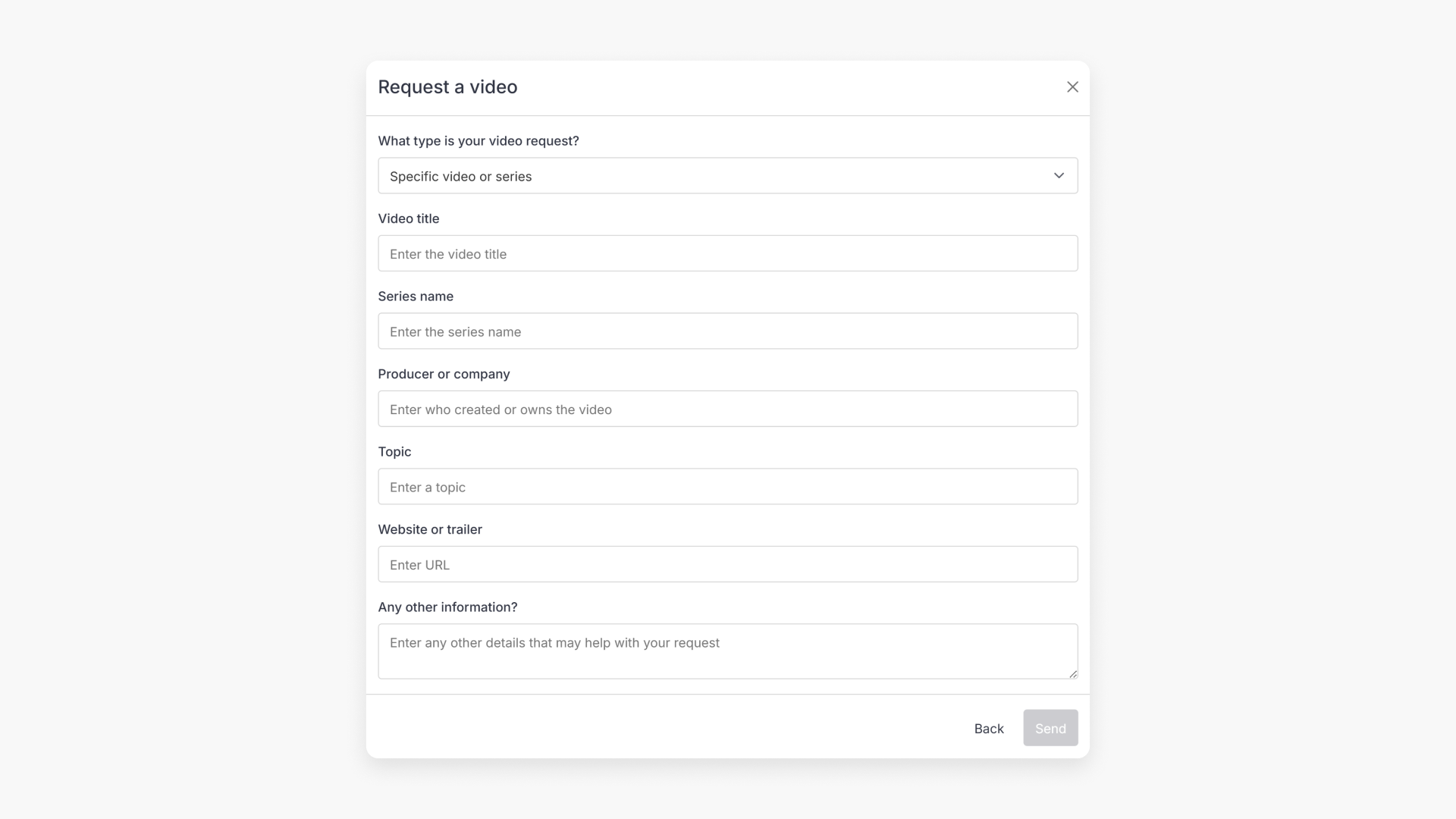
- Click the ‘Give feedback’ button on the top-right corner next to your initials.
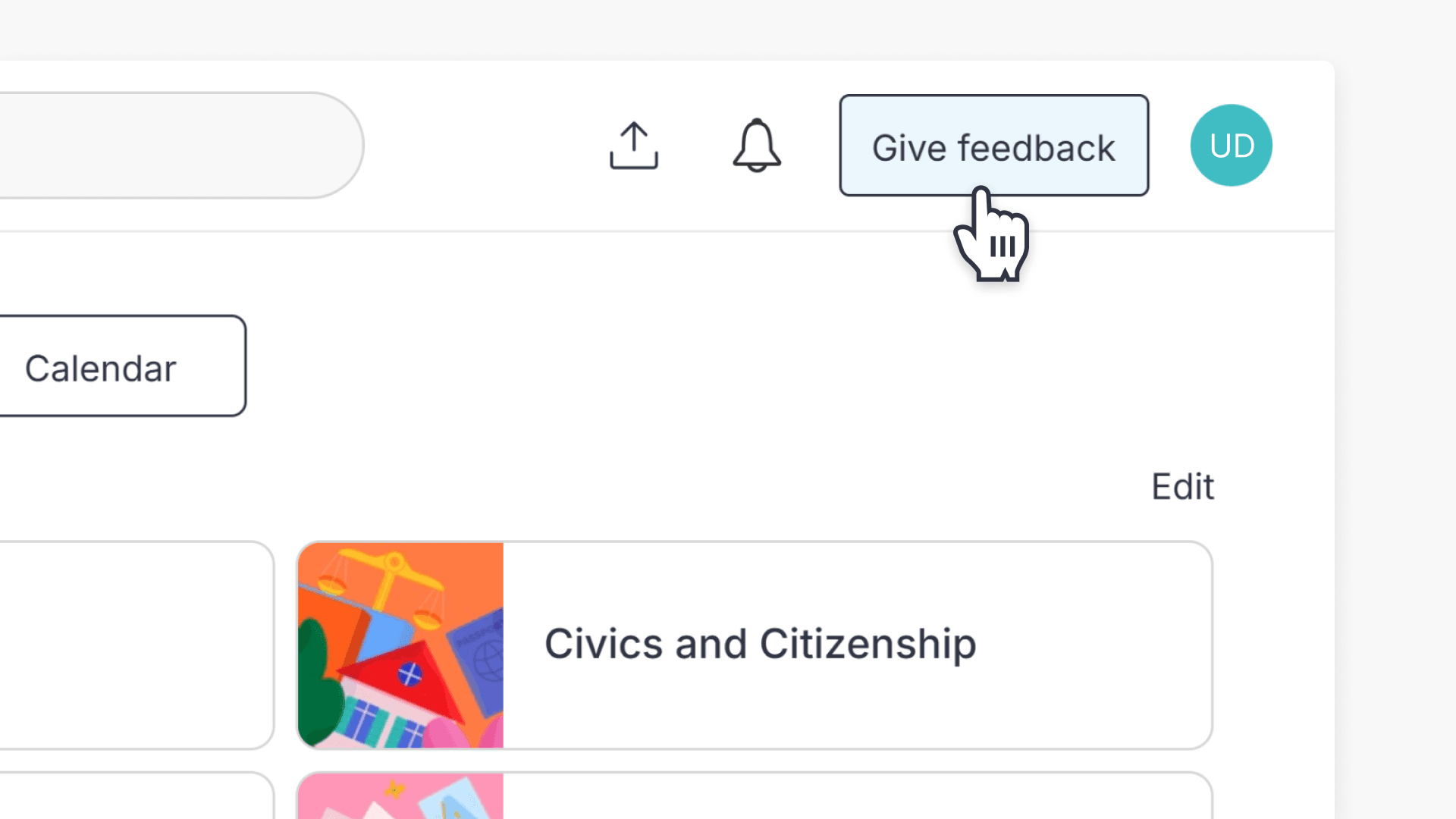
- Select the ‘Request a video’ option from the menu.
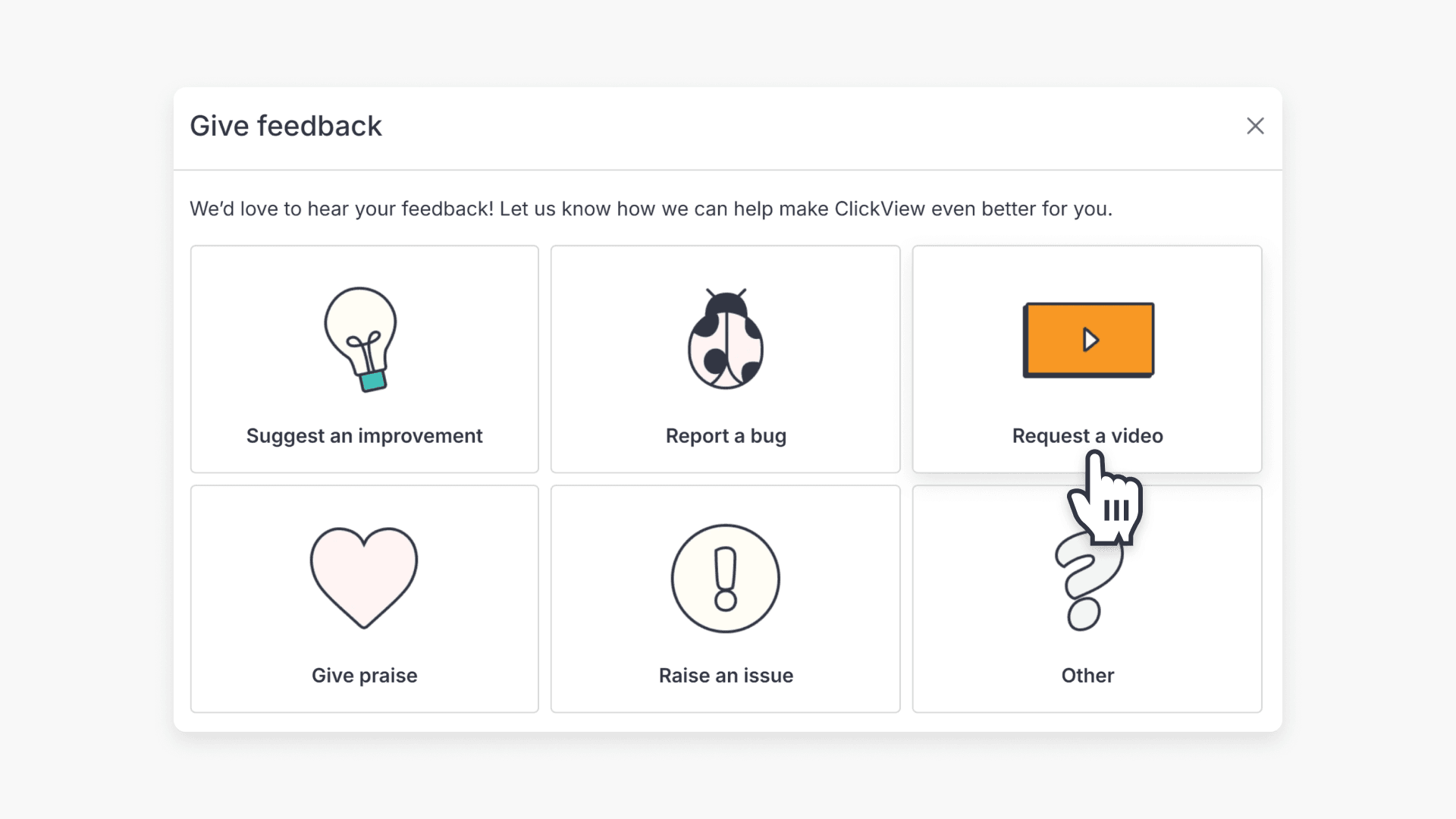
- A pop-up will appear, reminding you to search whether the video is already included in ClickView. After checking, tick the ‘Yes, I’ve checked Exchange Archive + TV’ checkbox and click ‘Continue’.
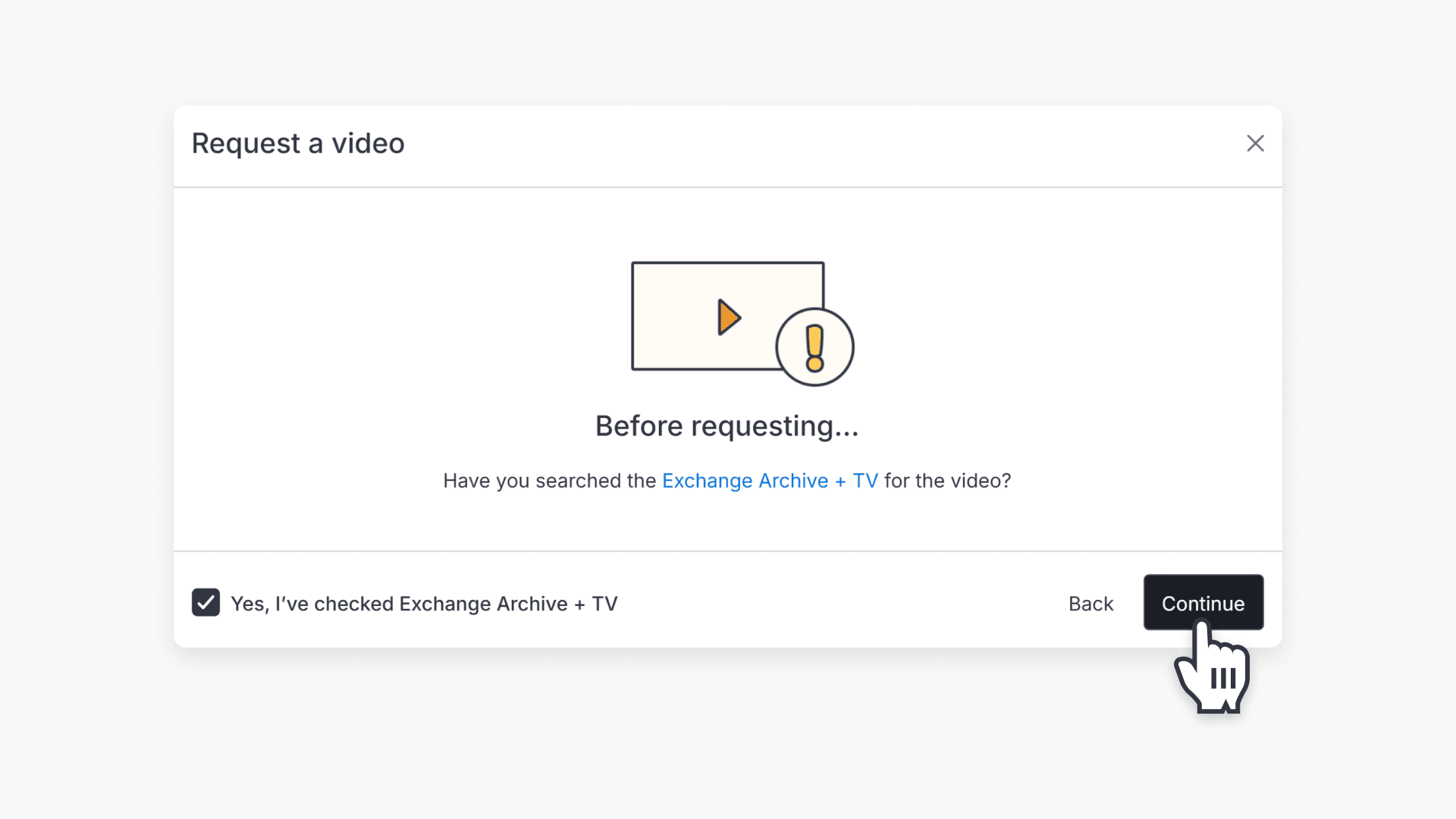
- Select the type of video request from the drop-down menu.
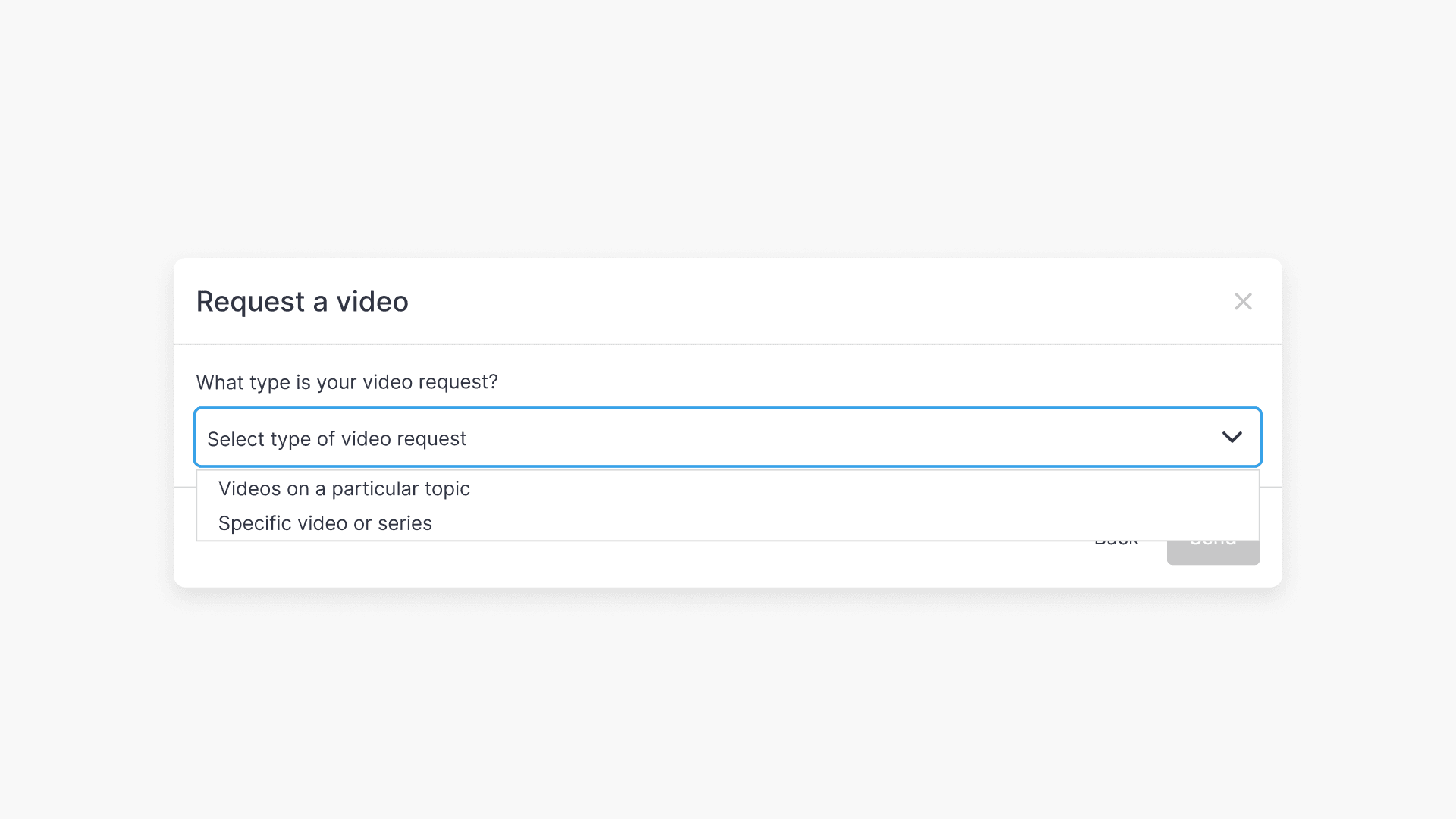
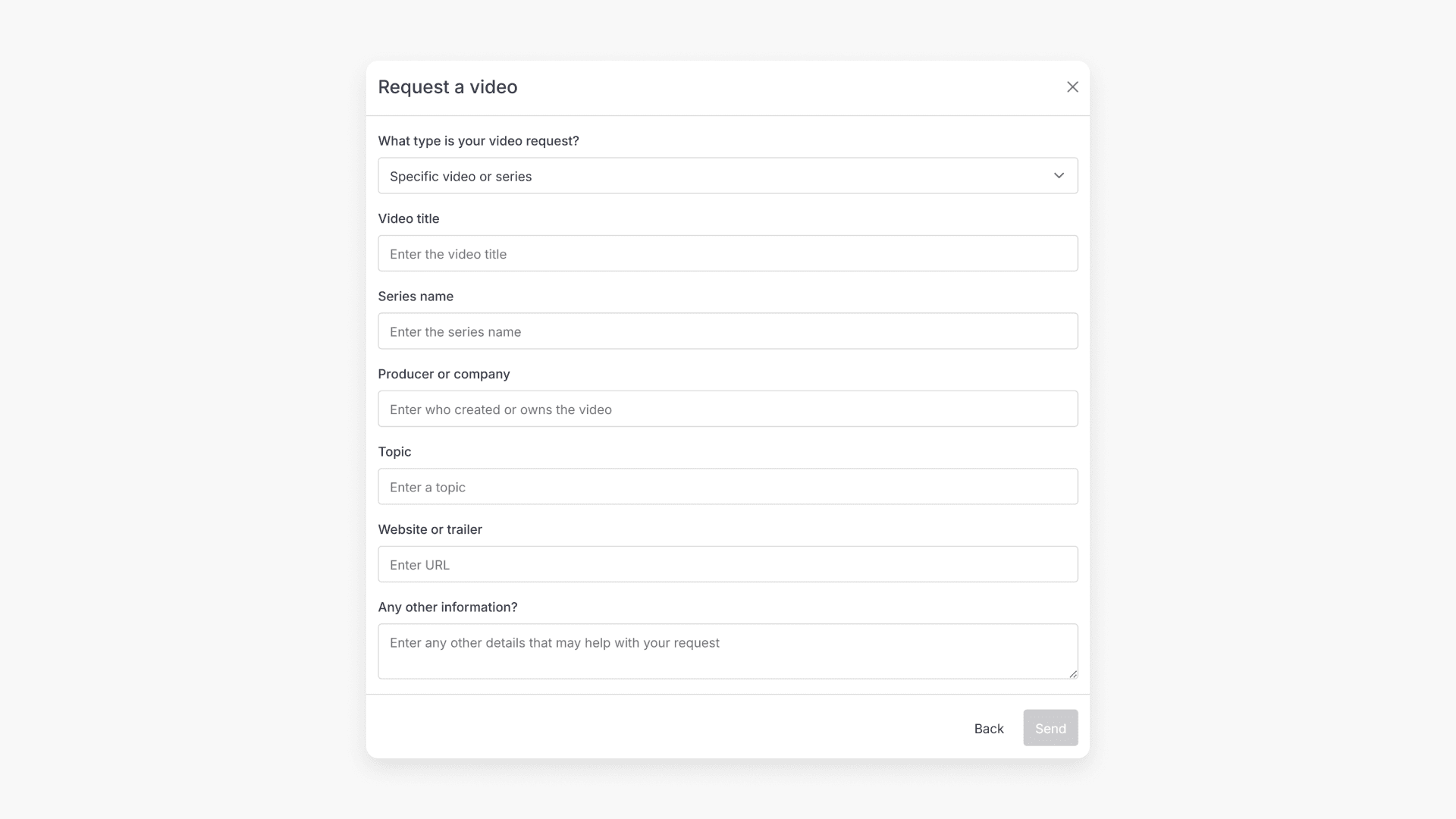
- Fill in the required information about the video you are requesting, then click ‘Send’.
Frequently asked questions
If the team is successful in publishing your requested title, you will receive a direct video link. You can also check regular new releases for updates.
You should search ClickView, Exchange Archive, and TV collections to confirm the video is not already available before submitting a request.
All video requests are reviewed by the ClickView team to ensure they meet editorial standards.
Get in touch
If you’re having trouble finding the right topics or videos, just reach out! Our team - 


 Andrew, Nisch, Janice, Pfreya, or any of us at ClickView - will be happy to help you get sorted.
Give feedback
Was this guide helpful?
Up Next
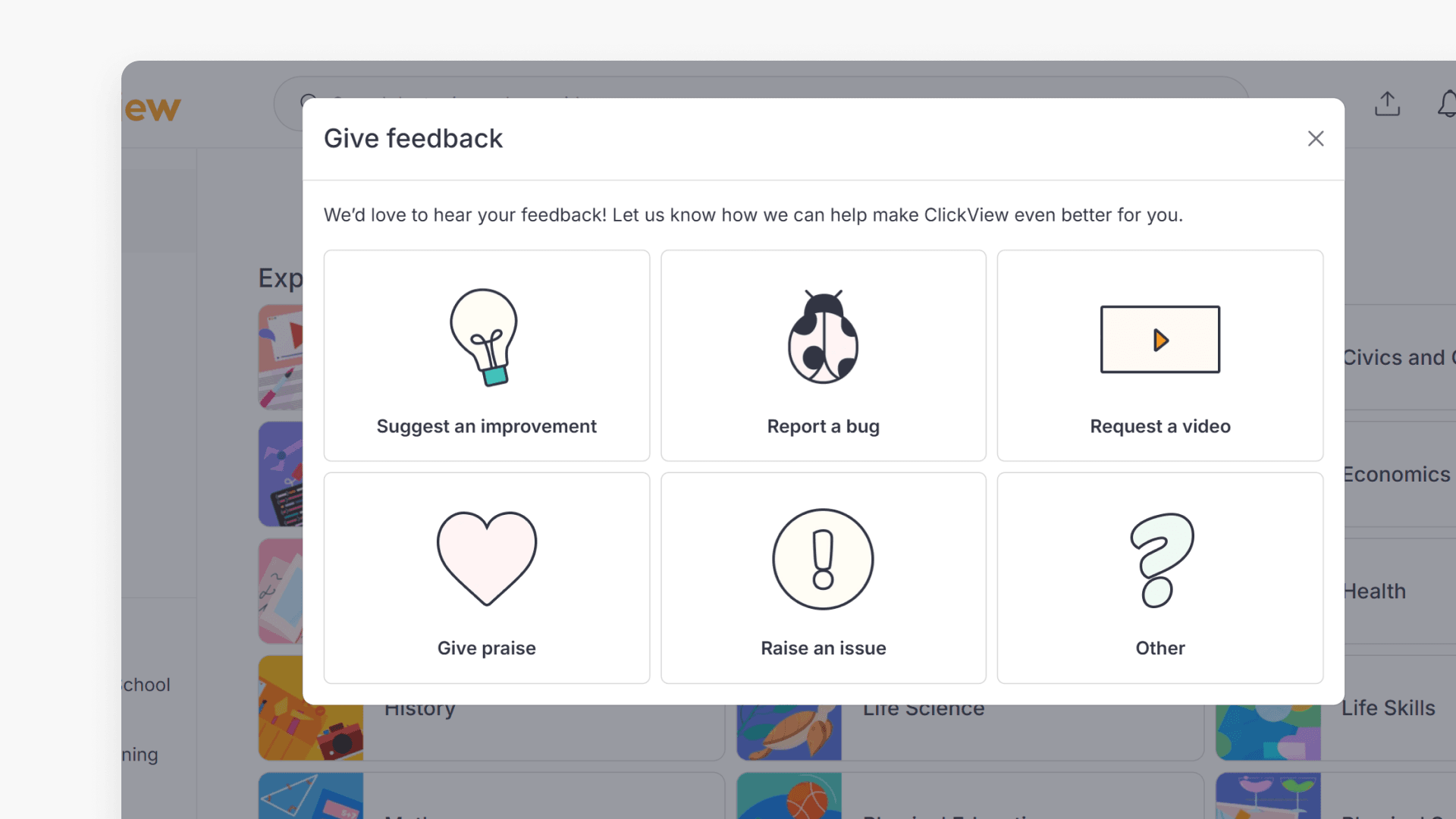
How to submit feedback in ClickView
Discover three methods to provide feedback within ClickView, including detailed options for suggestions, bugs, ideas, and general comments. This guide outlines each in-product feedback path with step-by-step visuals.