
New search features – now with curriculum codes, auto-complete searches, and more
Published on 4 min read
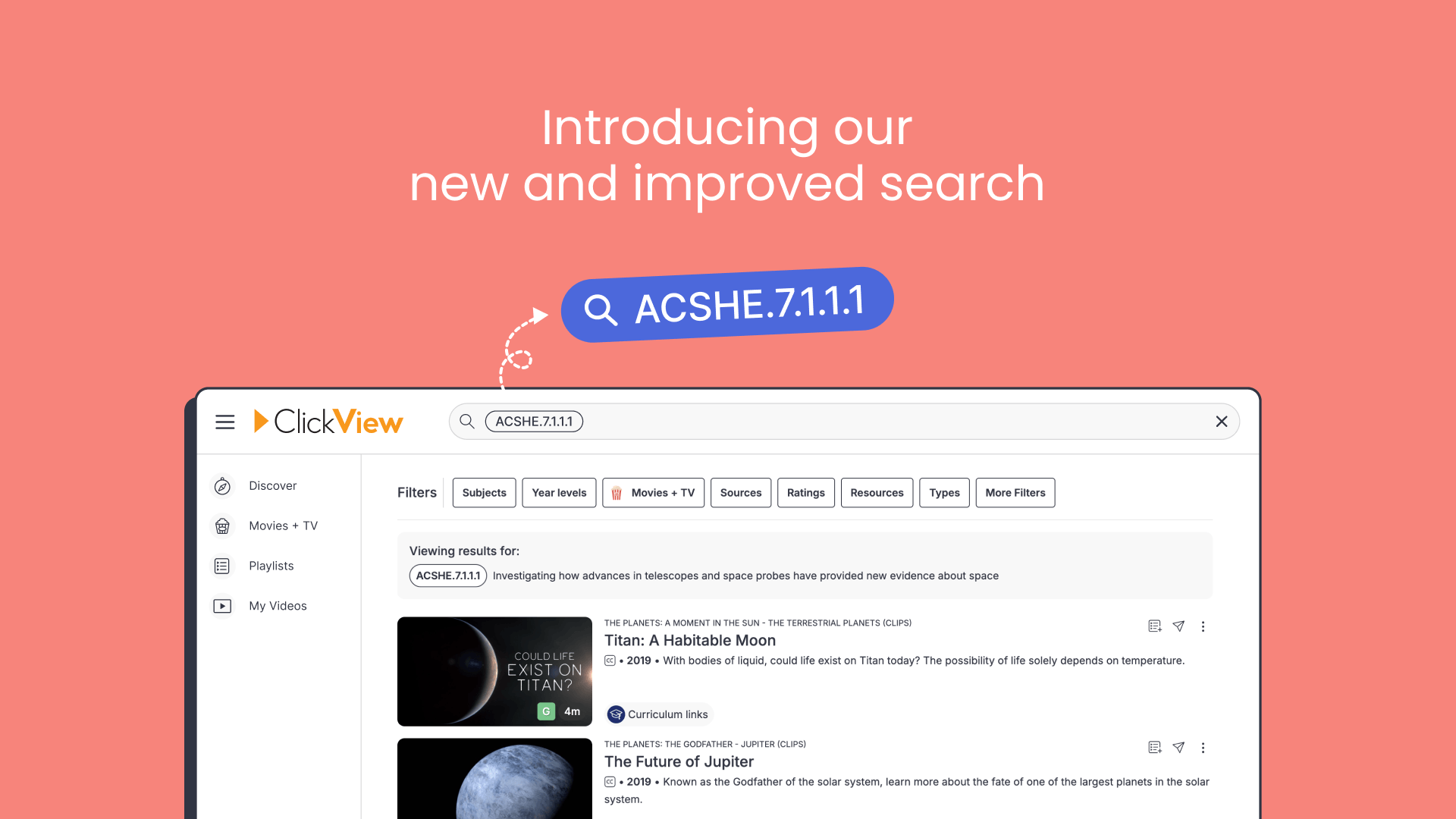
What’s new
We’ve made some improvements to search in ClickView to help teachers find the right videos faster.
- Search by curriculum codes – Instantly find curriculum-aligned videos using codes like ACMNA.3.2.1.2 or ACSHE.7.1.1.1.
- Clearer search results – Results now include headings that show where each video comes from and why it’s been included.
- Smarter ranking – We’ve improved the logic to improve the top results and ensure the most relevant content rises to the top.
- Auto-complete and trending searches – See suggestions as you type and discover what’s trending amongst educators.
- Tag-based filtering – Search by tags, including tags from your own school’s library.
Research & user feedback
We worked on these improvements in direct response to feedback from teachers and school leaders across Australia and the US.
Clarity around video sources
Many of you asked for greater visibility into where search results are coming from:
I would still like to see in search results the origin of where the video is, so it’s clear where each video comes from.
To help with this, we’ve reintroduced clear headings with descriptions to show where each result is from and why it’s appearing.
Curriculum code search
Searching by curriculum codes was one of the most requested features, especially from teachers across the US.
To have the ability to search for curriculum codes would be amazing. It was the best selling point with teachers.
We use those numbers pretty frequently to search, like ACMNA.3.2.1.2.
We wanted to understand how teachers manage curriculum reforms and which tools or features would best support them during these changes. After interviewing about 15 teachers across Australia, the UK, and the US, we found that the approach varies depending on the region.
We found that teachers in Australia preferred to search using keywords related to the outcomes or topics they’re teaching, rather than specific codes, since they often don’t remember the codes. This means teachers who don’t recall the codes are more likely to click the ‘view curriculum’ links on a video and then explore related tags.
However, in the US, things are a little different; standards have remained largely unchanged for many years, so teachers are more likely to memorise the codes, especially in English and Maths.
Tags and discoverability
We also spoke with Librarians and heard how much time was spent tagging their own content in the school or district library. Many asked to be able to filter their search using these tags.
It would be beneficial to be able to conduct a search using the tags and curriculum link codes.
What’s changed
We’ve made several key improvements to make searching more precise and to make understanding search results easier at a glance.
Search by curriculum codes
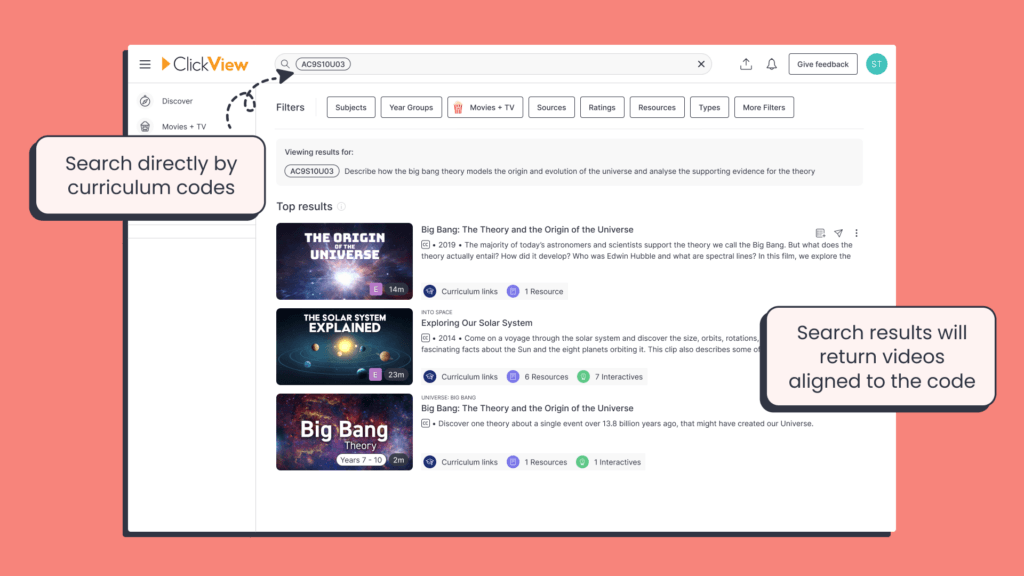
We’ve added the ability to search directly using curriculum codes like ACMNA.3.2.1.2 or ACSHE.7.1.1.1.
- Entering a code in the search bar will now display all videos aligned with that code
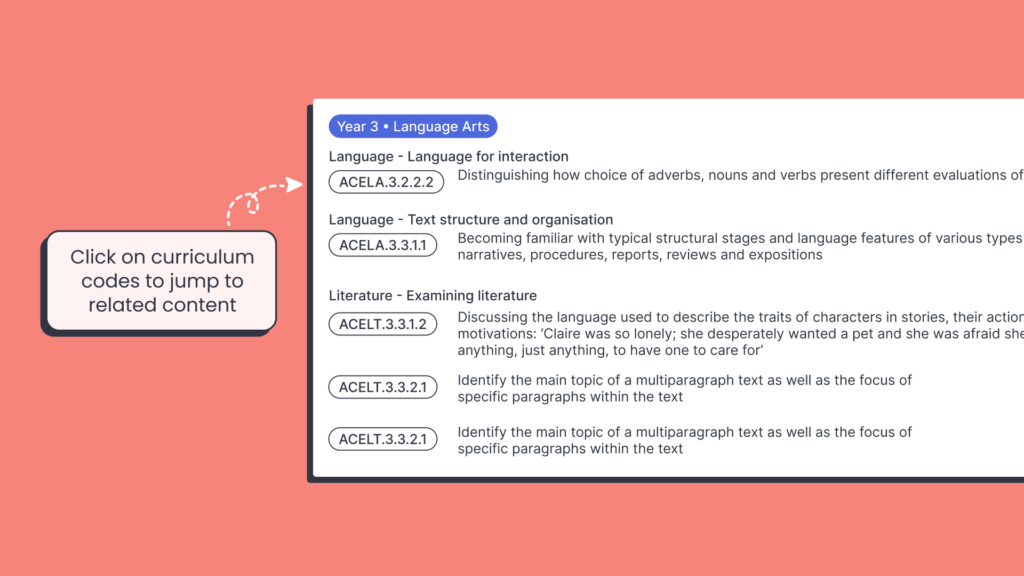
- Clicking on the curriculum codes shown on the video pages to jump straight to related content
Improved clarity and relevance of search results
- Exact matches are now prioritised, helping you find the most relevant videos faster.
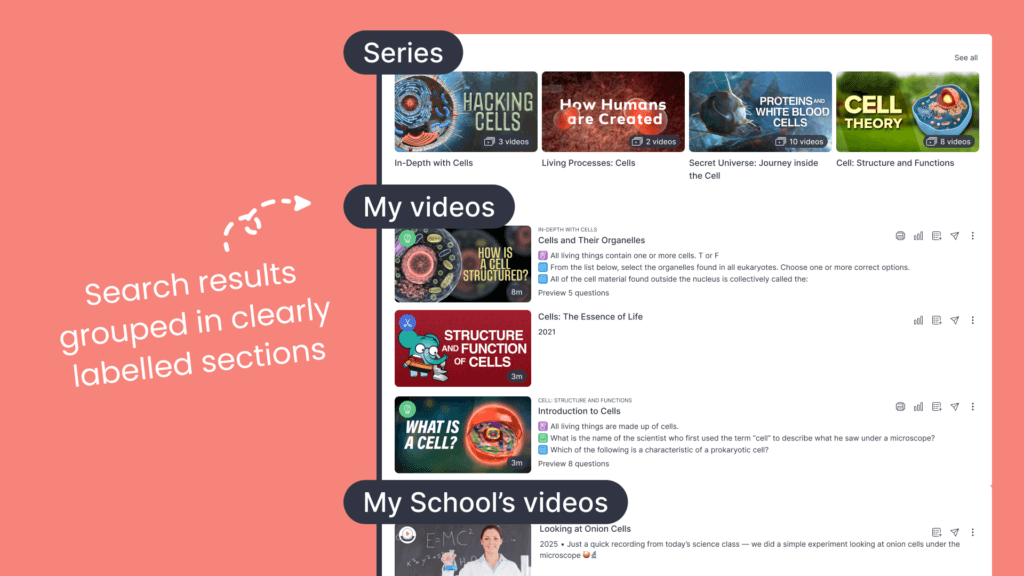
- Search results are grouped into clearly labelled sections that explain why and where each result is from:
- Relevant Topics – The most relevant topics based on your search
- Content Partners – The most relevant content partners based on your search
- Top Results – The most relevant videos based on your search
- Exchange Archive Videos – The most relevant videos from the Exchange Archive based on your search
- Series – The most relevant series based on your search
- Playlists – The most relevant playlists based on your search
- Folders – The most relevant folders based on your search
- Related Results – Other relevant videos based on your search
- We’ve also reduced visual clutter by simplifying the number of tile shapes and styles, making it easier to browse and compare results


Search by tags
- Tags are now fully searchable, including those from school libraries.
- Tags shown on video pages are clickable, making it easy to jump straight to related content.
- Results can also be filtered by tag to narrow the search with pinpoint accuracy.

Tips and tricks
Here are some ways to get the most out of the improved search experience:
- Search by curriculum codes: Type the code directly into the search bar, or click on a code from any video page to explore aligned resources
- Quick recall: Recent searches and trending topics appear when focusing on the search bar, so there’s no need to remember your previous searches
- Keyboard shortcuts: Press
Ctrl + K(orCmd + Kon Mac) to open the search bar from anywhere in ClickView. - Scope your search: Use “See all” links in each section to focus on results from topics, series, playlists, the Exchange archive, and more.
- Hover for context: Hover over the “i” icon next to a search result to see which source it comes from and why it appeared.
As always, we’d love your feedback – this feature was built in direct response to it. Keep sharing your ideas here so we can keep making ClickView better for everyone.
Share to

Joe Pour
briefcase iconChief Product Officer
Experienced product leader with a strong background in engineering and building innovative products at scale.
Other posts
Want more content like this?
Subscribe for blog updates, monthly video releases, trending topics, and exclusive content delivered straight to your inbox.