How video views are measured in analytics

Summary
- View tracking now uses periodic updates for improved reliability.
- Anonymous views from shared links are now counted in analytics.
- Future updates will enable smarter rules for qualifying views.
- Session-based tracking avoids double-counting and captures watch time.
- Historical data from 2023 is included for all schools.
- Updated analytics appear after Sharing and Analytics updates are enabled.
Understanding video view analytics
ClickView has improved how video views are tracked in analytics, making data more accurate and actionable for educators and leaders. Below, discover what’s changed, how it affects your data, and when you’ll see the updates.
What you need to know about video views
1. More reliable tracking
Previously, a view was only counted if a user watched the first few seconds of a video. Now, ClickView counts views using periodic updates while a video is being watched. This approach helps ensure that technical issues do not result in lost views and delivers a more reliable measurement.
2. Smarter view definitions
Because ClickView tracks exactly how much of each video is watched, future updates will allow more nuanced rules for qualifying a view (for example, requiring at least 30% of a video to be watched). This was not possible before under the old method.
3. Anonymous viewer support
Views from shared links are now included in analytics, even if the viewer does not sign in. This means both teachers and administrators receive a more complete picture of student engagement.
4. More accurate view counts
ClickView now better detects when the same person watches a video across multiple sessions (such as pausing, switching browser tabs, or returning later). This prevents multiple counts for a single viewer and delivers a true reflection of actual views.
How does this impact analytics data?
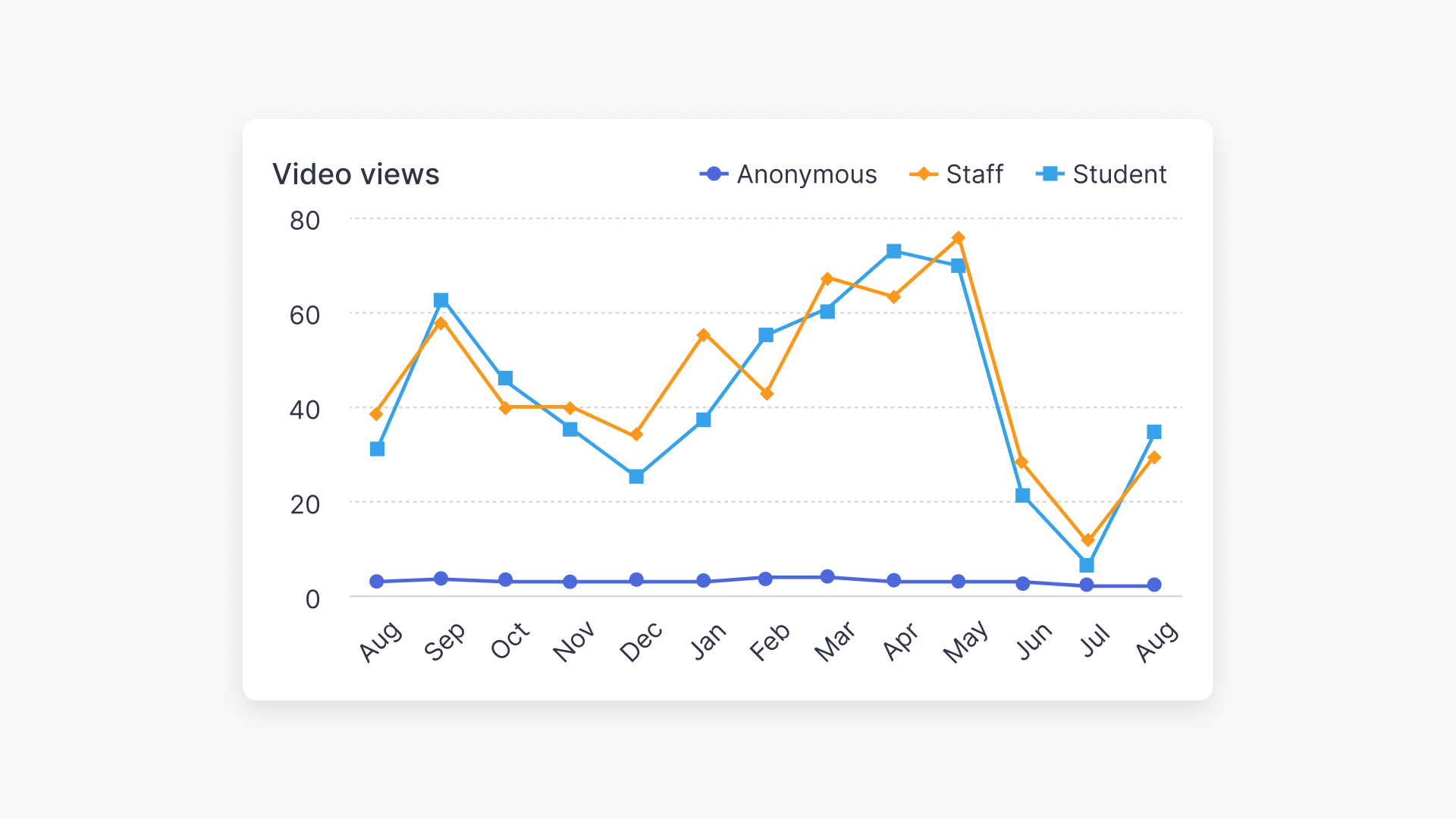
Educators and administrators may see changes in view counts:
- Higher counts: If your numbers go up, this may be due to anonymous views now being included and fewer missed records caused by connectivity problems.
- Lower counts: Improvements in tracking prevent double-counting, so total views may decrease as only genuine, persistent views are measured.
The new approach ensures that your view metrics closely reflect real-world engagement and usage.
When do changes appear in analytics?
ClickView has included historical view data starting from the beginning of 2023 for all schools. However, teachers and administrators will only see the updated, accurate analytics data once your school has received the latest Sharing and Analytics updates. Once these updates are enabled, new metrics will be available in your analytics dashboards.
How does the new video view tracking work?
Previously, a “view” was counted when a user watched at least 3 seconds of a video, and duplicate views could occur if the same user returned to a video after a brief period. The new session-based tracking model includes several key improvements:
- Each browser tab is treated as a new session.
- A session ends after 20 minutes of no activity, or 8 hours if watching continues.
- ClickView records precisely how much of the video was viewed within each session.
Benefits of the session-based approach include:
- Complete tracking of unauthenticated sessions, such as public share links and open classrooms.
- Detailed insights into watch time for every session.
- Persistent usage data even if user accounts are deleted or moved between schools.
- Anonymous usage reporting from viewers outside your school.
- Greater reliability, minimising dropped or missing views due to technical disruptions or navigation changes.
Frequently asked questions
Get in touch
If you’re having trouble finding the right topics or videos, just reach out! Our team - 

 Akhil, Daniel, Jalaj, or any of us at ClickView - will be happy to help you get sorted.
Give feedback
Was this guide helpful?
Up Next
How to access student analytics
Summary How do I access student analytics in ClickView? Where you find student analytics depends on how the video was shared. For videos shared as a Share link, go to Shares in the left navigation. For videos assigned to an Open classroom, go to Classrooms ➡ Open classrooms. You can also access analytics for any […]