How to update ClickView Local Cache
In this article
Last updated by
2 min readClickViewJanuary 30, 2026
Summary
- Sign in to your ClickView account and go to Settings.
- Select Local Cache under School management.
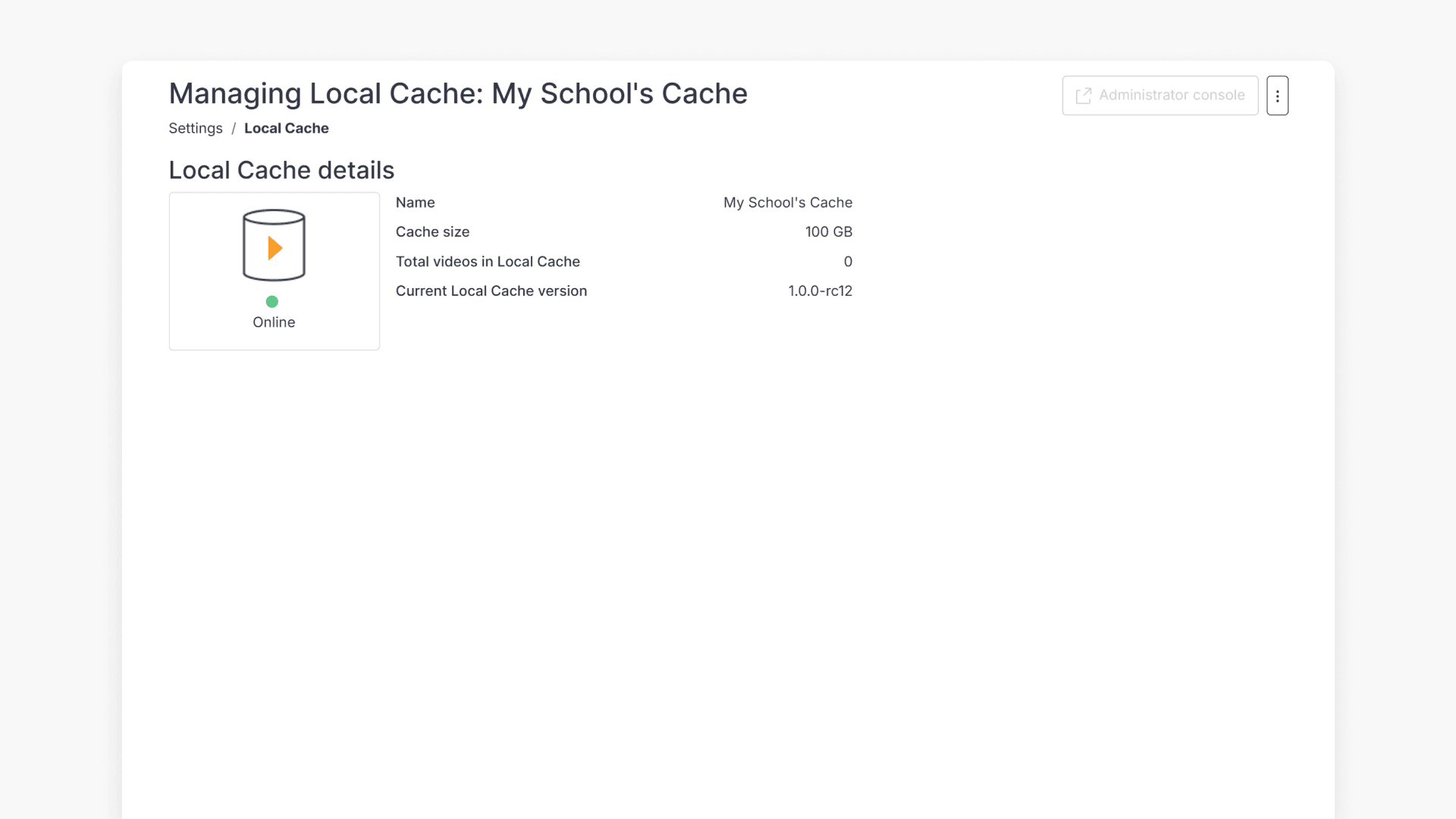
- Review Local Cache details and confirm the status is Online.
- Open the three dots menu beside the Administrator console.
- Then click Update Local Cache version.
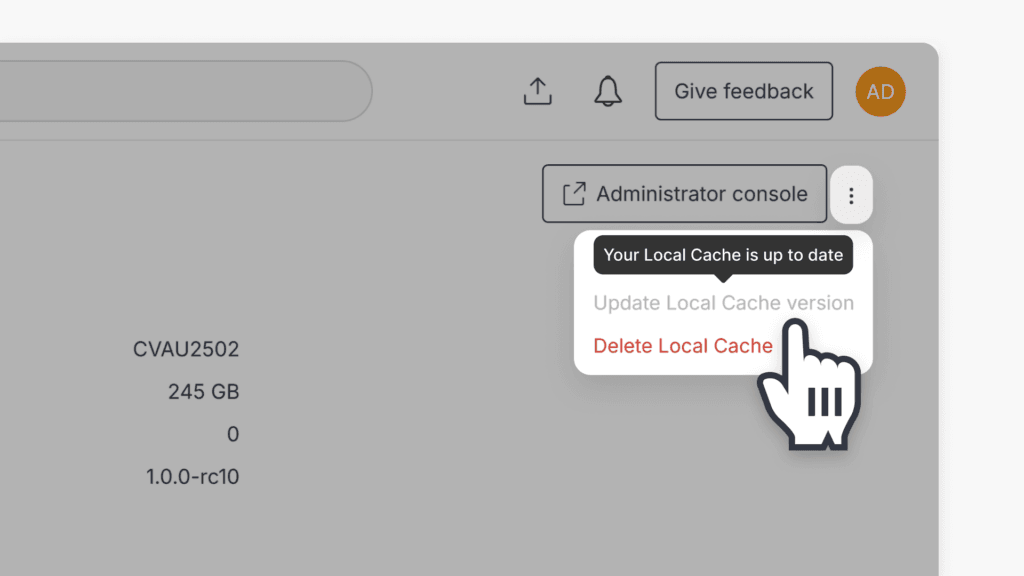
- Update Local Cache version is grayed out when your version is already up to date.
star icon
Quick tip
Where can I find the Local Cache status in ClickView?
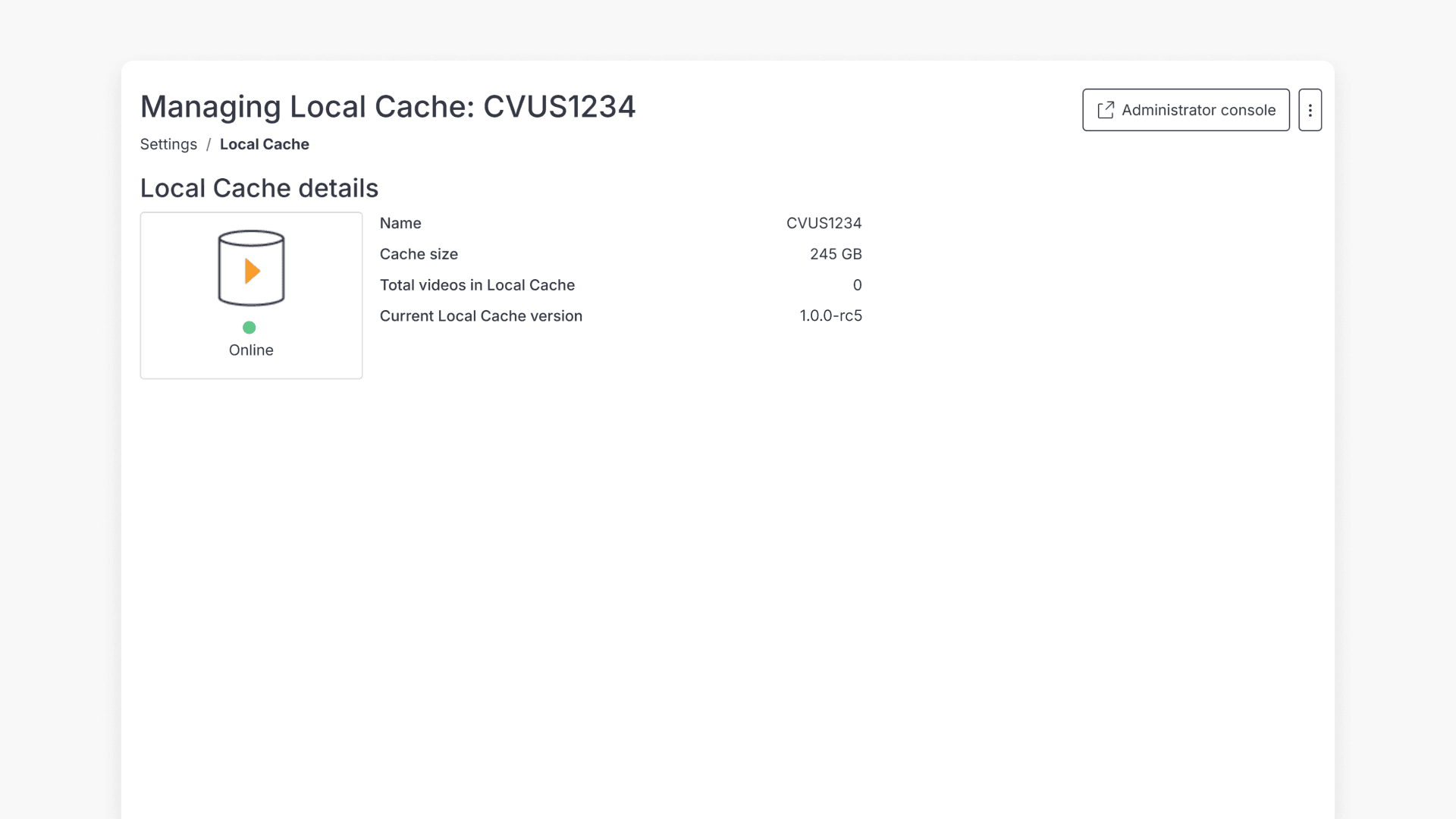
Local Cache status is displayed in Settings under School management and shows if it is Online with a green dot.
Latest Local Cache version
The current latest version of ClickView Local Cache is 1.0.0-rc10.
Check your current Local Cache version
To check if you are currently running an outdated version of Local Cache, please navigate to:
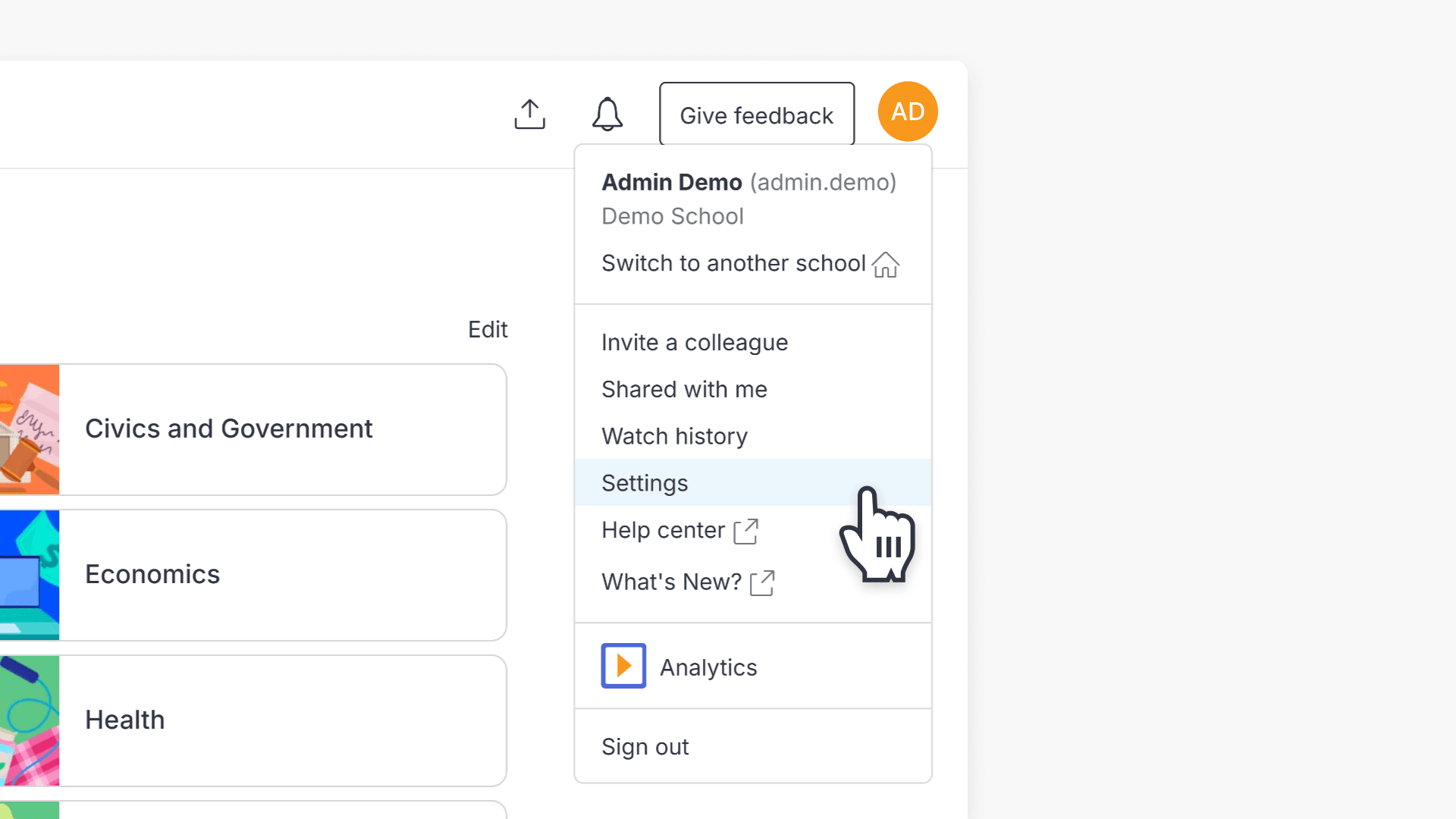
- Sign in to your ClickView account.
- Go to Settings.
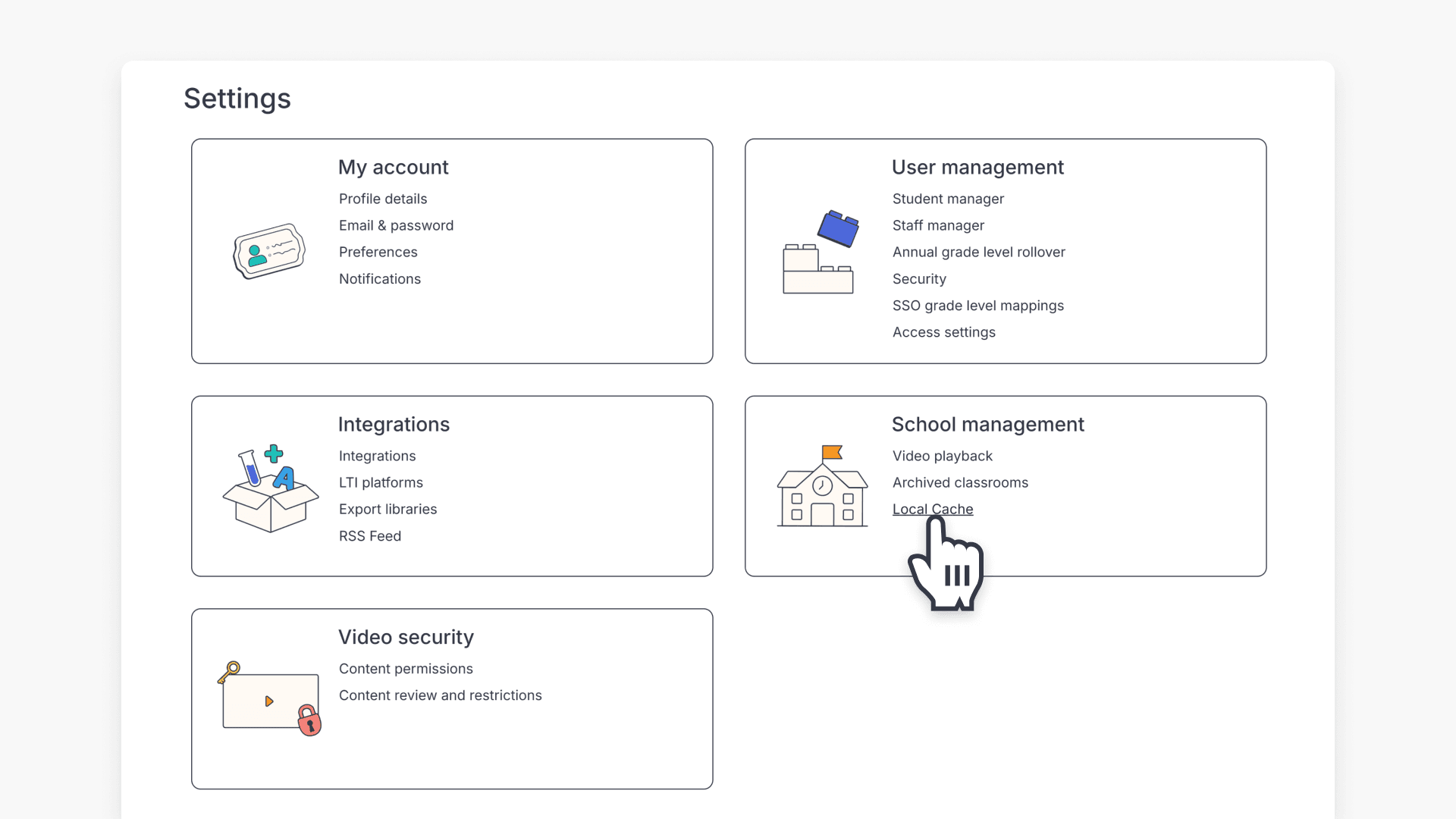
- Under School management, click Local Cache.
- Review the Local Cache details, and check if the status is Online (represented by a green dot).
Update Local Cache to the latest version
To update to the latest version of Local Cache:
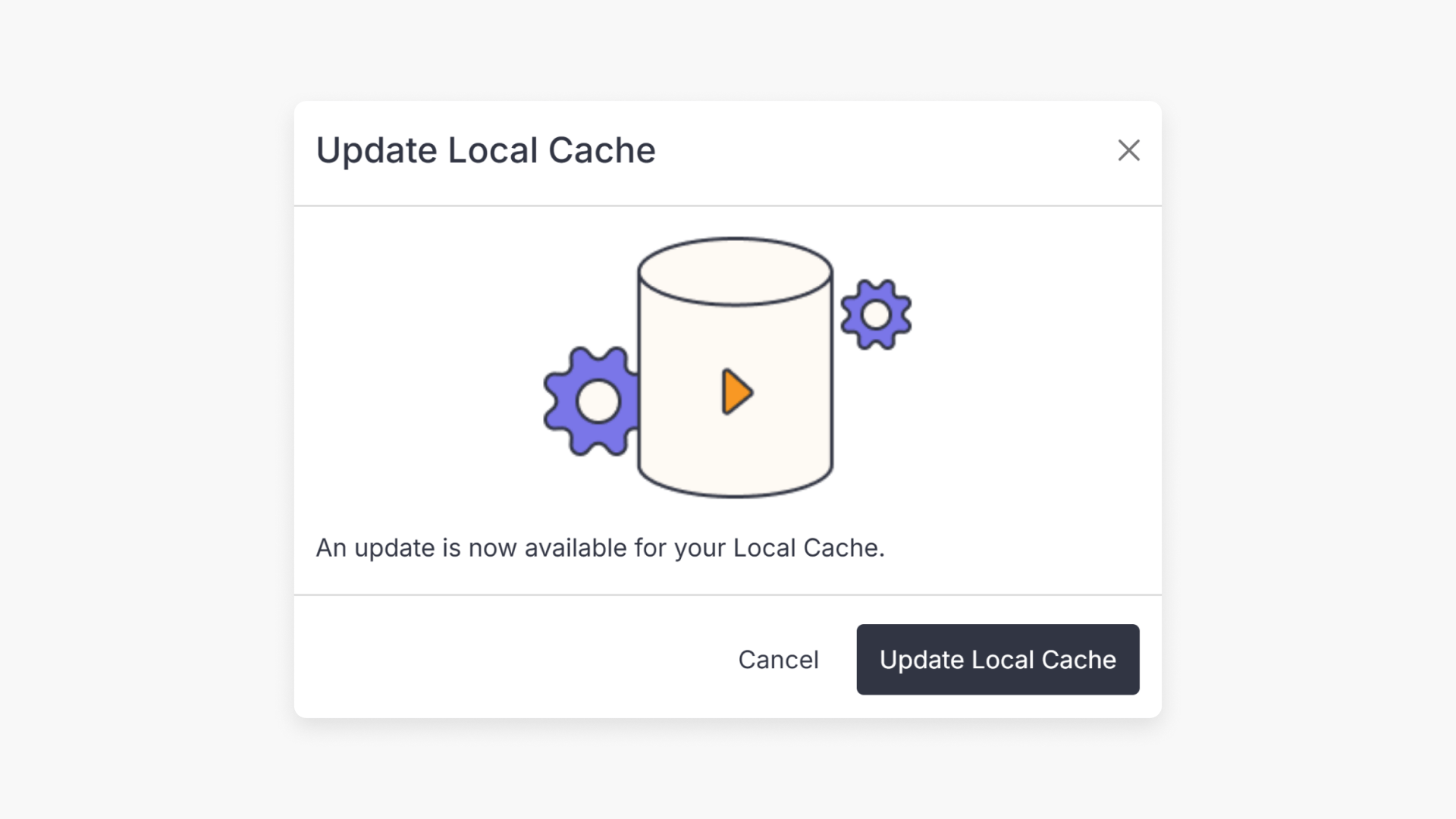
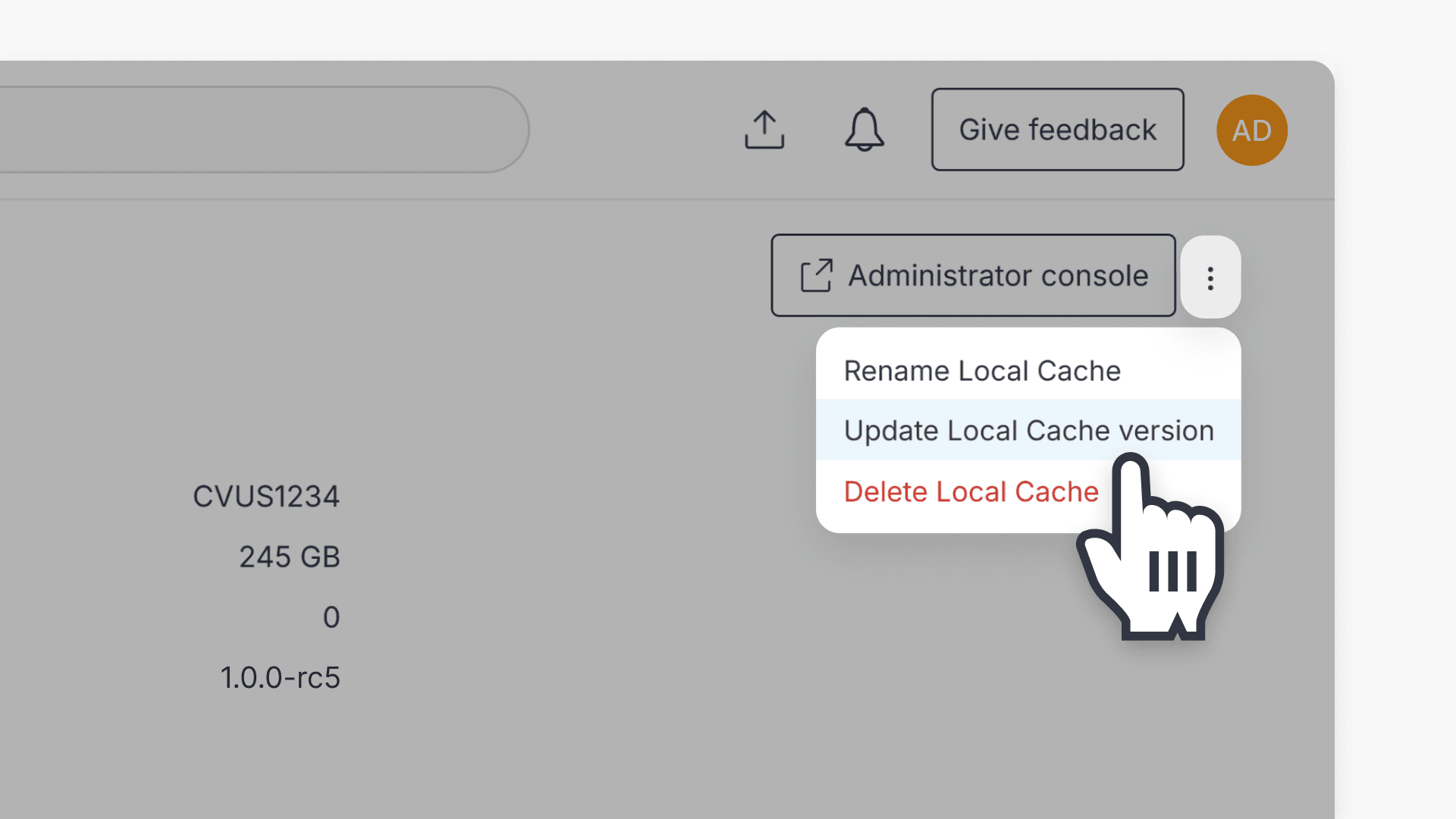
- Click on the 3 dots in the top right corner beside Administrator console, and click on Update Local Cache version.
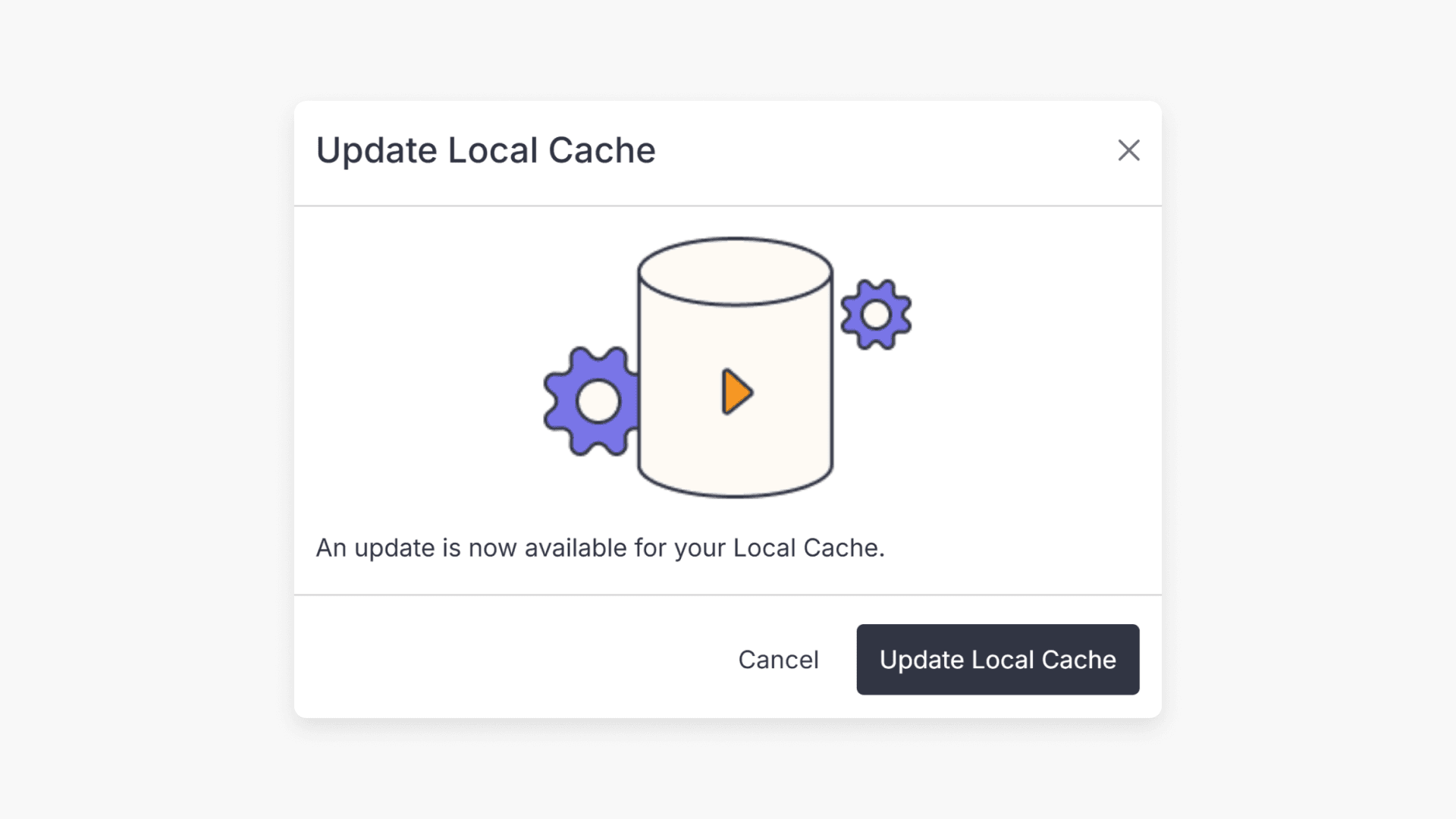
- A pop up will appear. Click the Update Local Cache button.
Note: The ‘Update Local Cache version’ option will be grayed out should your local cache version be up to date.
Frequently asked questions
In Local Cache details, check that the status is Online (represented by a green dot).
The ‘Update Local Cache version’ option in the drop-down menu is grayed out if your local cache version is already up to date.
Get in touch
If you’re having trouble finding the right topics or videos, just reach out! Our team - 


 Andrew, Nisch, Janice, Pfreya, or any of us at ClickView - will be happy to help you get sorted.
Give feedback
Was this guide helpful?
Up Next
Introduction to Local Cache for schools
Local Cache enables high-quality ClickView video delivery in schools by storing content on a local server. Discover its benefits and whether it’s needed in your school.