How to download MARC records
In this article
Last updated by
2 min readClickViewFebruary 9, 2026
Summary
- Go to Settings by clicking your name in the top right corner.
- Select Export Libraries under the Integrations heading.
- View all your available libraries, including custom and supplemental.
- Click Export Libraries in the top right to access download options.
- Choose MARC21 or MARCXML format for your files.
- Download all libraries in one zip or individually.
Locating and downloading MARC records
MARC records are standard bibliographic files that help educators and administrators organize video content in library systems. ClickView provides MARC records in MARC21 and MARCXML formats for all your available libraries.
How to locate MARC record options
- Click on your name in the top right corner of the ClickView screen.
- Go to the Settings option.
- Click Export Libraries under the heading Integrations.
You will now see a list of your libraries, including your custom video library and any supplemental libraries you subscribe to.
Downloading MARC records
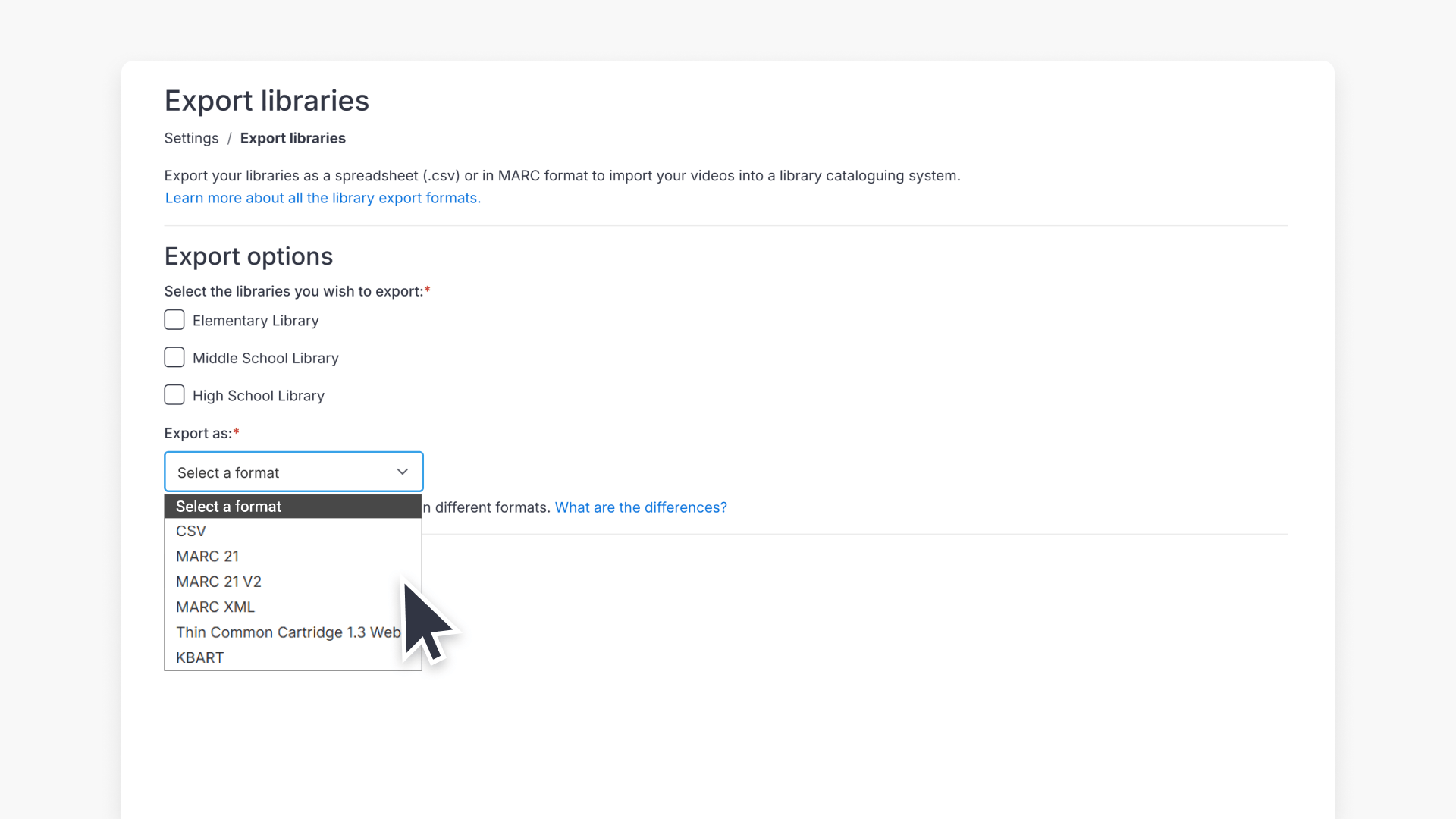
- Click Export Libraries in the top right corner.
- You will see options for MARC21, MARCXML, and MARC21 (v2) files. (MARC21 v2 is for tertiary institutions; use MARC21 or MARCXML for standard needs.)
- Choose to download all your library records in one combined zip, or select individual libraries to export one at a time.

These MARC files will reflect your current visible ClickView library contents.
Frequently asked questions
You can download MARC21, MARCXML, or MARC21 (v2) files. MARC21 (v2) is for tertiary institutions.
Yes, you can download all libraries in one zip file or export each one individually.
Administrators with access to Settings and Export Libraries can download MARC records.
For further assistance, contact Product Support.
Get in touch
If you’re having trouble finding the right topics or videos, just reach out! Our team - 


 Andrew, Nisch, Janice, Pfreya, or any of us at ClickView - will be happy to help you get sorted.
Give feedback
Was this guide helpful?
Up Next

What are automated MARC records for ClickView libraries?
With automated MARC records, ClickView video metadata is updated automatically and reflected in supported library cataloguing and discovery services.