
Curie – ClickView’s latest product release
Published on 4 min read
Our Product Team has been busy developing new features and updates for this release. Each ClickView product release is named after a famous scientist, author or luminary who has made a significant contribution to society. We’re proud to announce that the Curie release, named in honour of physicist and chemist Marie Curie, is now live.
Release Overview
- Shared Libraries
- Public Sharing in Library Editor
- Deep linking in the App
- Larger thumbnails for improved usability
- Library Editor enhancements
- Minor bug fixes
Shared Libraries
Product: ClickView Online
Let’s start with a quick recap of the different types of ClickView Libraries:
| Library Type | How does it work? |
| Customer Library / School Library | A customer library managed with Library Editor. |
| Shared Library | A library that’s been shared to another school or college. A Shared Library can only be initiated by a ClickView staff member. |
| Hosted Collection | This is a curated curriculum-aligned Library hosted and managed by ClickView. |
Shared Libraries are here and are the cloud-based successor to Supplementary Libraries. Supplementary Libraries allowed you to share a library with other schools or campuses.
Shared libraries are designed for Peak Bodies or schools with multiple campuses. Schools and colleges who are eligible can now turn any Customer Library into a Shared Library after talking with their ClickView Advisor. You can also specify if staff or admins from subscribing institutes can contribute to the library.
Once your Customer Library becomes a Shared Library, you can manage it in Settings, including all staff request permissions. If needed, you can also revoke access to a Shared Library at any time.
If your school or college manages a Supplementary library, you can now upgrade to Library Editor and your Customer Library will be converted into a Shared Library.
Public Sharing in Library Editor
Product: Library Editor
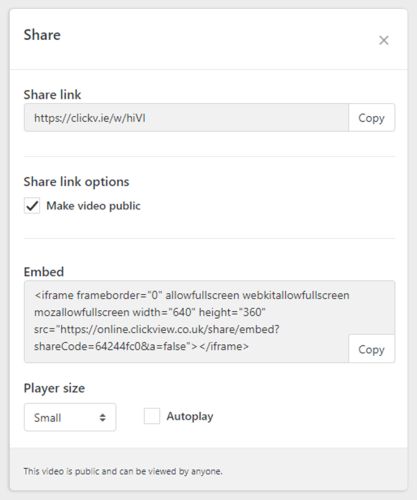
ClickView Administrators can now generate a public share link from any video title that they own in their libraries.
Larger Thumbnails
Product: ClickView Online
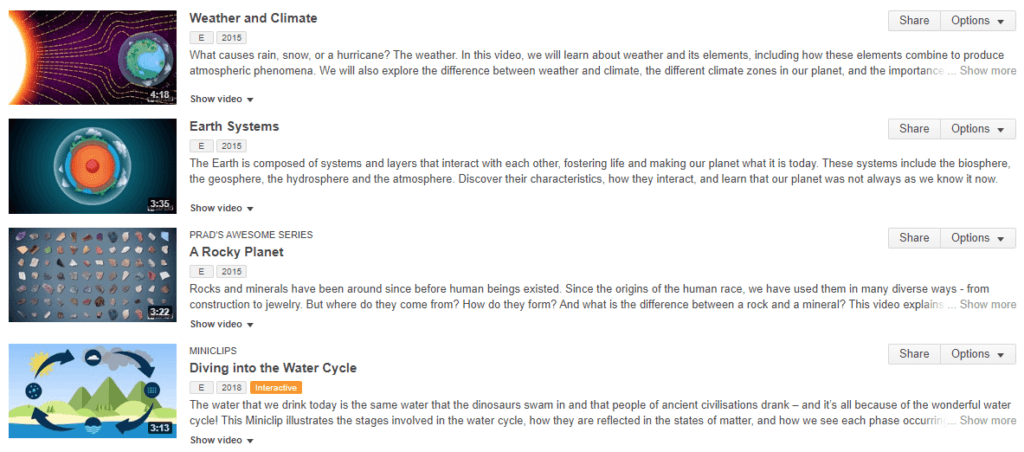
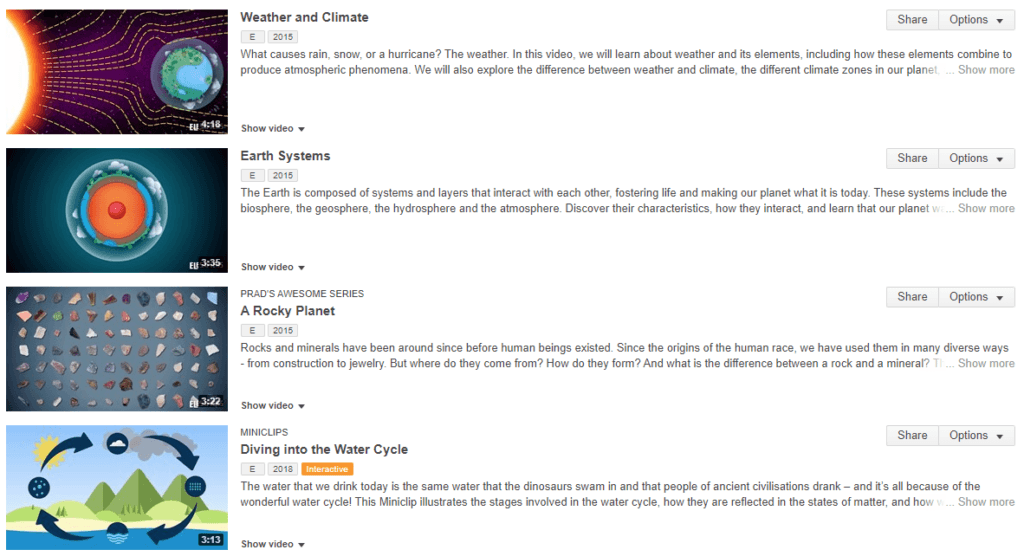
To reduce clutter, we’ve now updated the size and spacing of videos when they appear in video lists. We know this will make it easier to find the video you need exactly when you need it.
Before:
After:
Deep Links in iPhone/iPad App
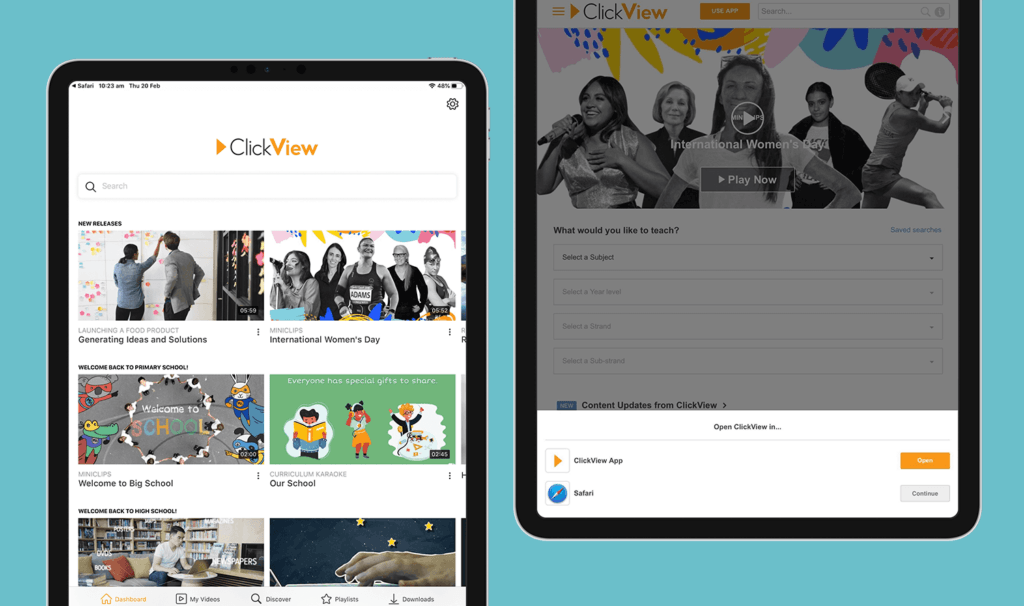
You can now choose your preference for where you want your links to open on your iPhone or iPad. Deep-linking means you can set links to open by default in the ClickView App, rather than the browser.
- If you’re an iPhone/iPad user on Safari, you can now open videos, clips and interactives in the ClickView App if you have it installed, by clicking on the banner. Download and install the ClickView App from the App Store.
- If you use a different browser on your iPhone or iPad you can open the current page in the App anytime, by tapping the USE APP button at the top of your device.
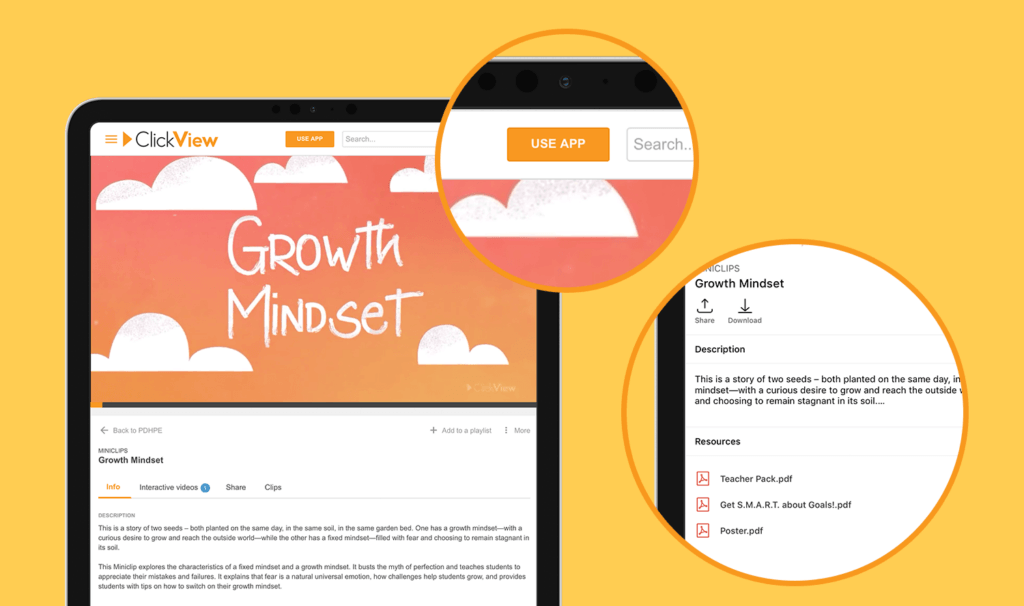
If you visit ClickView on your iPhone or iPad and prefer to use the browser, you can choose to keep using the browser and we will remember your preference.
We’ve also made some changes to the look of the app on iPhone and iPad, to help you navigate and use it more easily.
Minor Library Editor Enhancements and Bug Fixes
Product: Library Editor
Video Processing
- When you reload the page with your own uploads, you can now see the processing progress.
- We’ve improved clarity around processing videos that have been uploaded by other ClickView Administrators within your school or college. Note: Only the administrator who originally uploaded the video can Cancel or Retry processing.
Subfolder feedback
Once the max subfolder depth has been reached, you’ll receive a new error message to let you know. We also have an update coming soon that will allow you to have a depth of up to seven subfolders.
Chapters
We’ve fixed a bug where only the first 25 chapters were being shown.
Exchange
Users can now download Exchange videos.
Further Minor Changes to ClickView
- Video clipping for students is enabled.
- Interactive videos are now accessible and visible in your Workspace, even if the underlying video is archived.
- Libraries are now displayed in the info tab on the video play page.
- We fixed an issue where embedded Interactives were not loading (Libraries managed by ClickView Publisher only).
- You’ll notice the Local Cache status is clearer and easier to understand. Local caches on the settings page will now always show their status, even if it’s managed by another institution.
Thanks for sharing your feedback and helping us continue to improve the ClickView user experience. Our team has worked hard to bring this release to life and we’re already thinking ahead to our next release with even more new features and improvements.
If you’ve got an idea for a new feature or you’d love to give us some feedback, please get in touch at research@clickview.co.uk.
Share to

Joe Pour
briefcase iconChief Product Officer
Experienced product leader with a strong background in engineering and building innovative products at scale.
Other posts

Want more content like this?
Subscribe for blog updates, monthly video releases, trending topics, and exclusive content delivered straight to your inbox.