How to add a video to a playlist
In this article
Last updated by
2 min readClickView30th January, 2026
Summary
- Start by searching for the video you want to add.
- Click the ‘Add to playlist’ icon in search results.
- Or, click the ‘Add to playlist’ button in the video player.
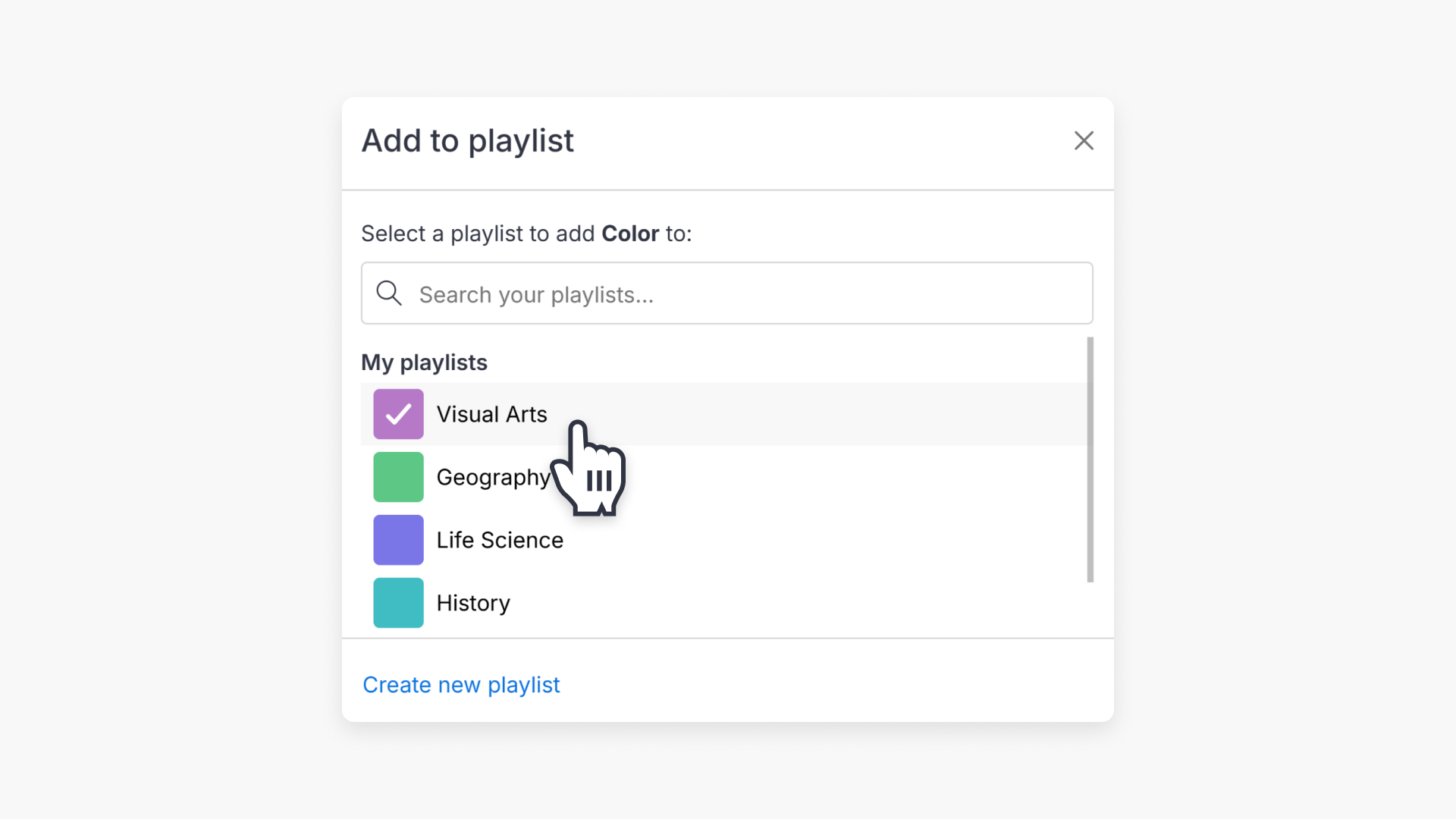
- Select a playlist from the quick list or search for one.
- Tick one or more playlists to add the video.
- Create a new playlist by clicking the ‘Create new playlist’ link.
star icon
Quick tip
Can I add the same video to multiple playlists at once?
Yes. In the Add to playlist pop-up, tick multiple playlists before closing the window. ClickView will add the video to all selected playlists automatically.
Adding videos to your playlists
ClickView makes it easy to organise videos for your classes using playlists. Follow these steps to add any video to a playlist:
- Search for your video: Find the video you want to add by browsing ClickView content, your school library, or uploading your own video.
- Add the video to a playlist:
- From the search results, click the ‘Add to playlist’ icon:

- Or, click on any video to open the video player, then click the ‘Add to playlist’ button:

- From the search results, click the ‘Add to playlist’ icon:
- Select your playlist: In the Add to playlist pop-up, search for a playlist or choose one from the quick list, then tick one or more playlists to add the video.

- Close the pop-up: Once you have selected your playlist(s), you can close the window. Your video is added automatically.
Additional tips when creating playlists
- Add a video to multiple playlists: Tick more than one playlist in the Add to playlist pop-up.
- Create a new playlist: Select “Create new playlist” in the pop-up to make a new playlist while you are adding the video.
Frequently asked questions
Click the ‘Create new playlist’ link in the Add to playlist pop-up.
Your playlists appear in the quick list within the Add to playlist pop-up.
Get in touch
If you’re having trouble finding the right topics or videos, just reach out! Our team - 

 Akhil, Daniel, Jalaj, or any of us at ClickView - will be happy to help you get sorted.
Give feedback
Was this guide helpful?
Up Next
How to download a video from My Videos
This article guides educators on how to download a video from My Videos in ClickView. Follow clear, step-by-step instructions to save your video as an MP4 file on your device.